

Design and Retrofit Curb Ramps to Compliance in Minutes
AQCESSRAMP™ revolutionizes the way curb ramps are designed by minimizing iteration cycles in the design process. Using the system and method for automated design of accessible ramp (U.S. Patent No. 11,907,619), AQCESSRAMP will help you design curb ramps effortlessly and quickly. Select your design guideline (all US States plus FHWA, PROWAG and ADAAG included), customize ramp designs from the templates provided, and enjoy the convenience of instant notifications and checks.
The drag-and-drop grip points give you the flexibility to make quick edits on the fly while the precision inputs deliver the accuracy you need. With immediate feedback and guidance to keep you within design parameters, it’s easy to integrate your 2D ramp into your existing surface in 3D.
A new approach to curb ramp design. Plan, retrofit, design & 3D model to compliance in minutes.
Platform Compatibility
We strive to keep our products compatible with the latest operating systems and platforms. Find the latest product compatibility information for Transoft products.
English, French, German
What Makes AQCESSRAMP Unique
Design with confidence
Design curb ramps by applying policymaker standards, default values, and specific design conditions for selected drawing elements. Select your chosen guideline (all 50 US states plus FHWA, PROWAG and ADAAG included), as well as standard curbs and gutters from all 50 state departments of transportation.
Reduce designing time with dynamic editing tools
Increase your productivity by receiving immediate feedback and guidance to stay within design parameters. You can make edits quickly since all geometry parameters are linked, and any changes to the design generate automatic calculation updates that are reflected in the design instantly.
Reporting is a breeze
Provides detailed reports such as point data elevation, coordinates table and geometric summary, which can be used as reports for handoff to contractors, or use the exported .csv data to build your own reports.
Easily integrate your 2D ramp into your existing 3D surface
With just a few clicks, generate the 3D model of the curb ramp to visualize and analyze the slope, surface and surroundings.
Features
Design Safe and Efficient Infrastructure to Serve all Users
Developed to help you get from 2D layout to 3D curb ramp compliance, the user-friendly features will help you design curb ramps effortlessly and quickly.
- Designed for efficient 2D to 3D curb ramp compliance, its user-friendly tools allow effortless design.
- Create a curb ramp using templates and select from US guidelines or design your own.
- Model in 3D to visualize slope and surface, customize templates, and ensure guideline compliance.
- Edit geometry with precision and easily generate reports for contractors.
Explore Features
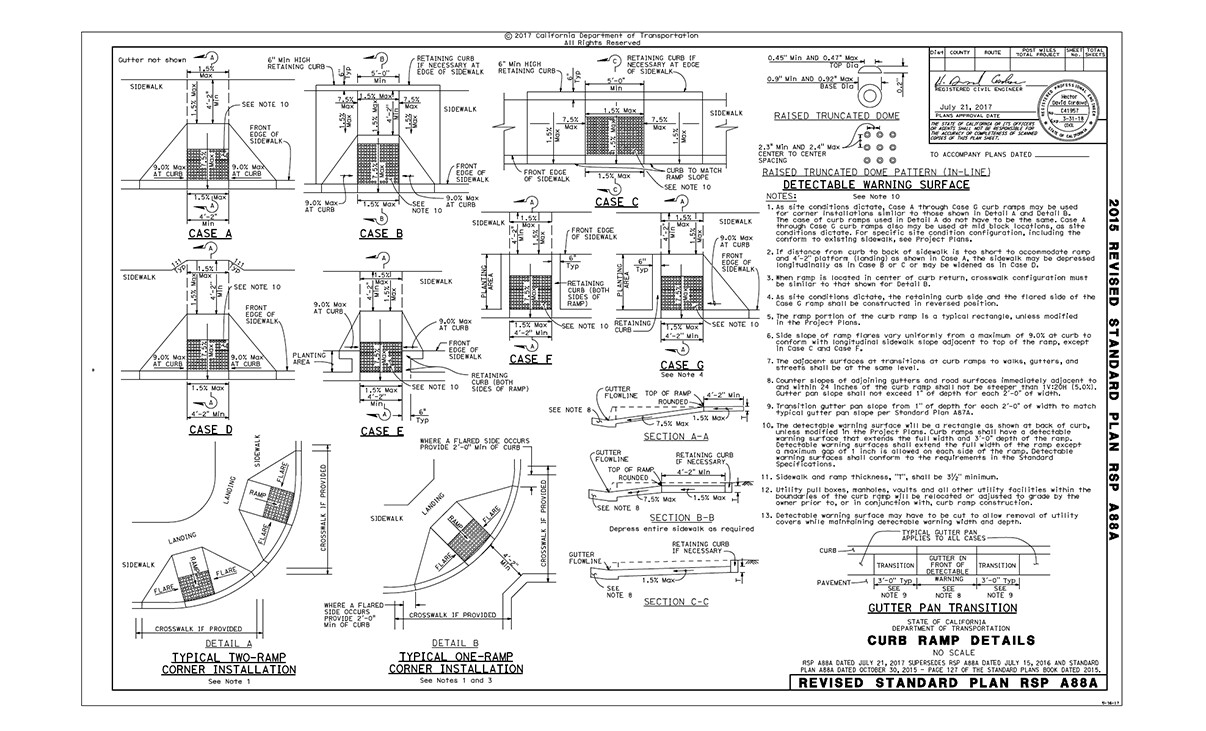
Design Guidelines
Produce a curb ramp design from a template according to your State DOT standards by using the preloaded design guidelines (all 50 US States, ADAAG, PROWAG and FHWA).
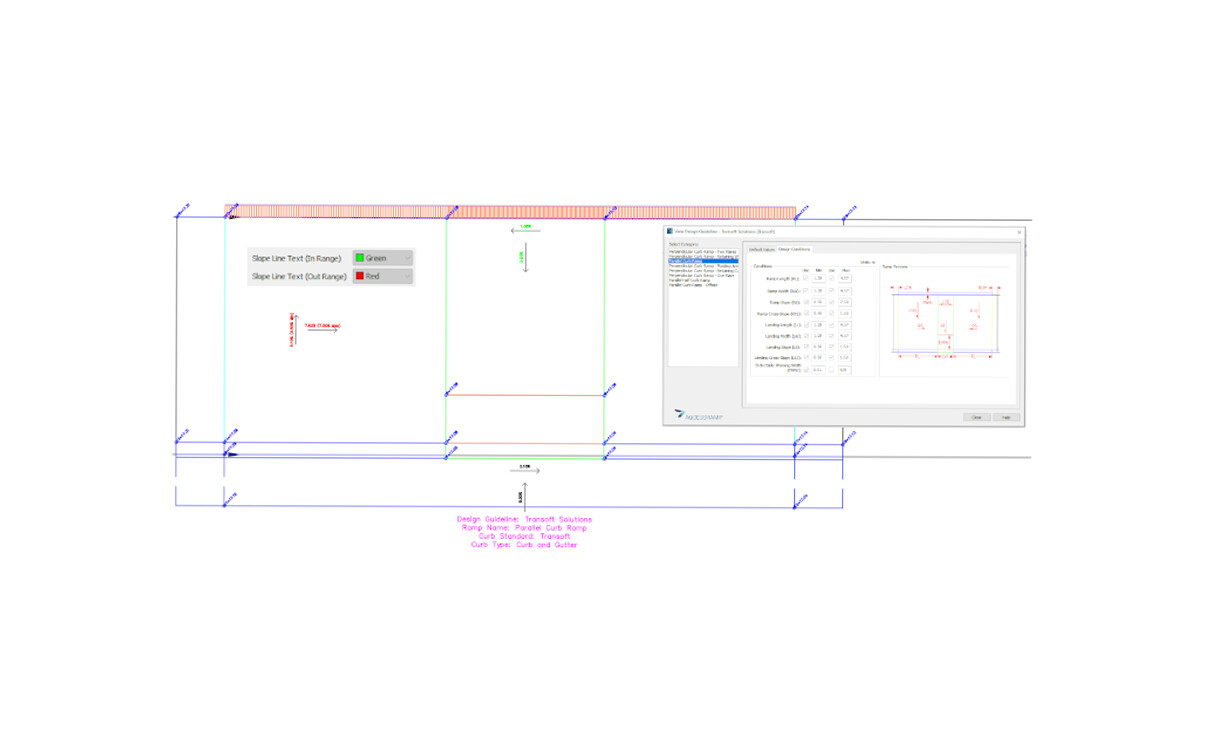
Design Conditions
Ensure you are meeting requirements for your curb ramp length, width, slope, cross-slopes, landing and detectable warning area. Based on set parameters, AQCESSRAMP provides callouts notifying you if the design complies with the selected guidelines and conditions.
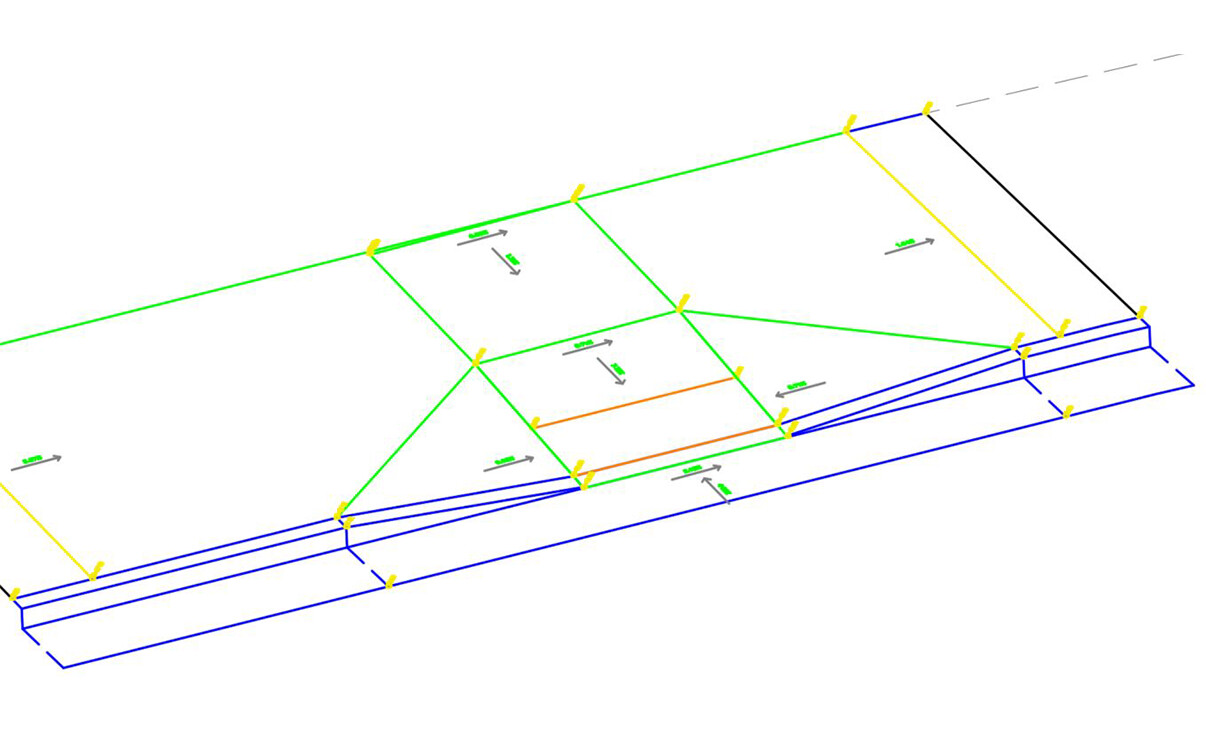
Generate Curb Ramp Geometry
Reduce your line-by-line manual drafting. Easily select your curb template of choice and drop it in your project. Choose from a variety of curb types.
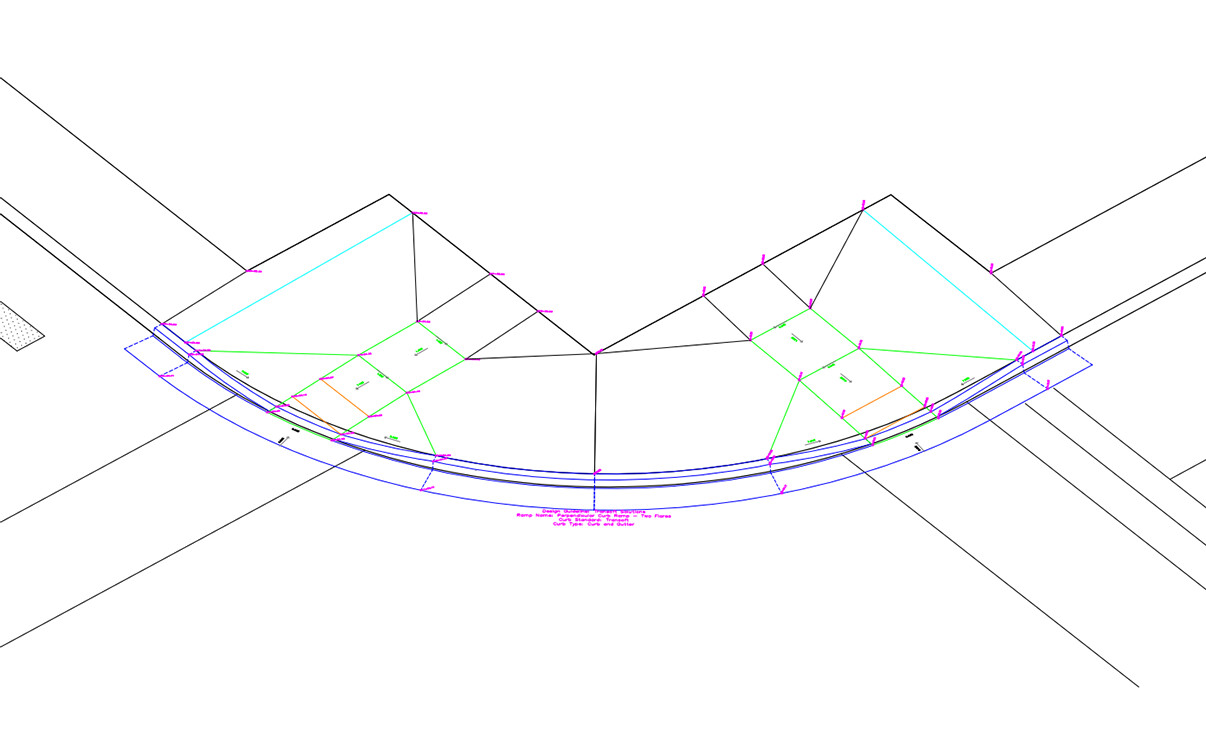
Generate Double Curb Ramps
Automatically generate two curb ramps for cases where the crosswalks are nearby.
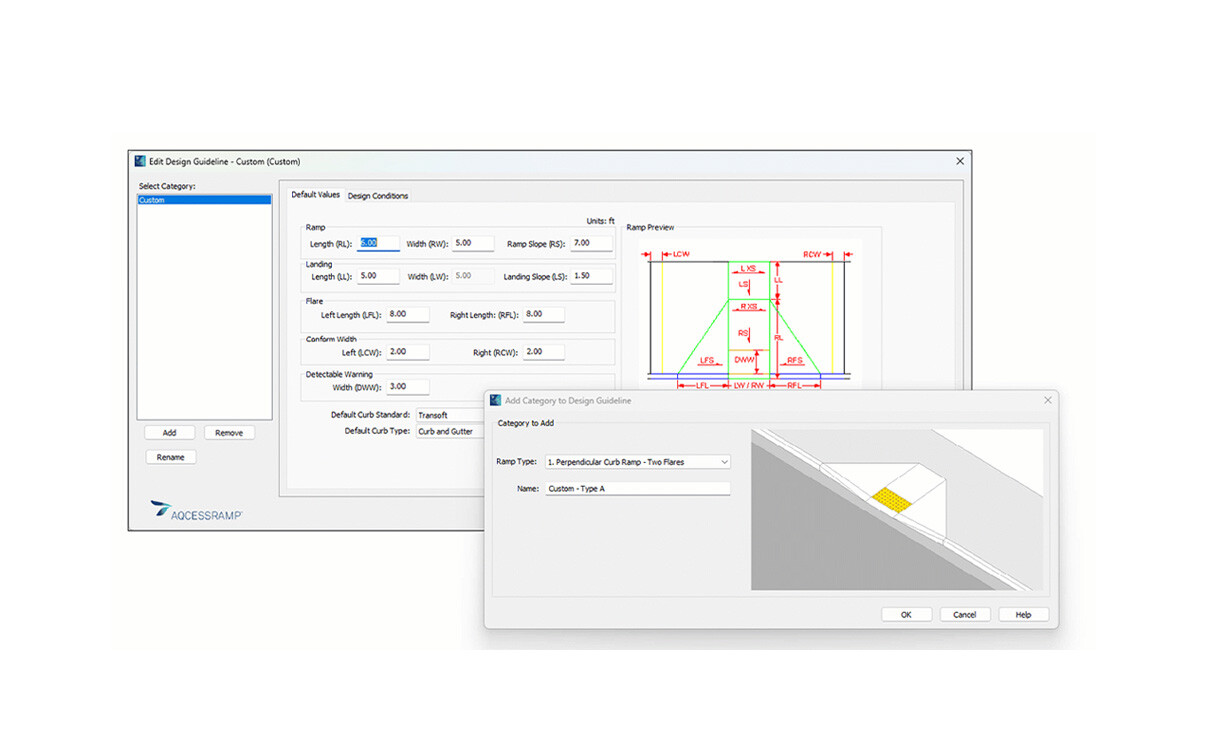
Customize Design Guidelines
Create your own design guidelines and curb ramp templates based on the existing ones and define their default values and design conditions; custom design guidelines can be exported and shared with colleagues.
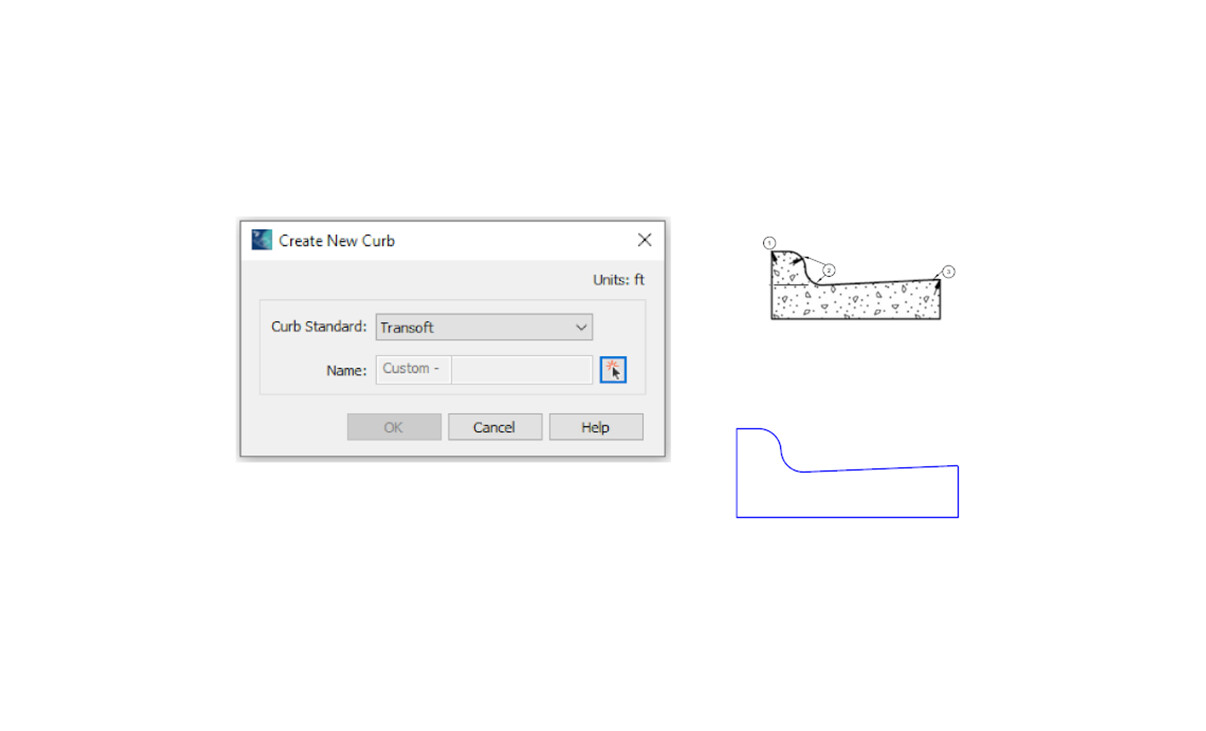
Customize Curb Templates
Design and utilize a custom curb template in your curb ramp generation. This will allow easier handling of regional curb standards.
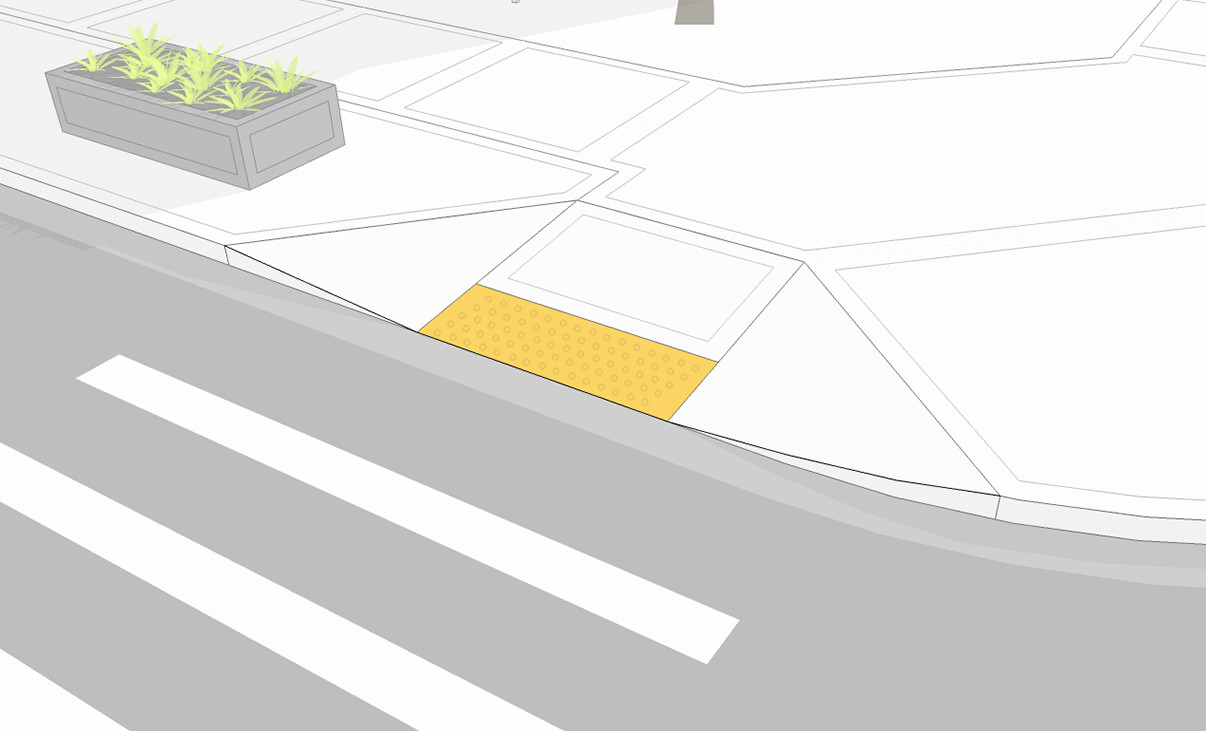
Generate 3D Model
Transform your 2D design into a 3D model automatically from the initial geometry alignment values and linking it with the existing surface.
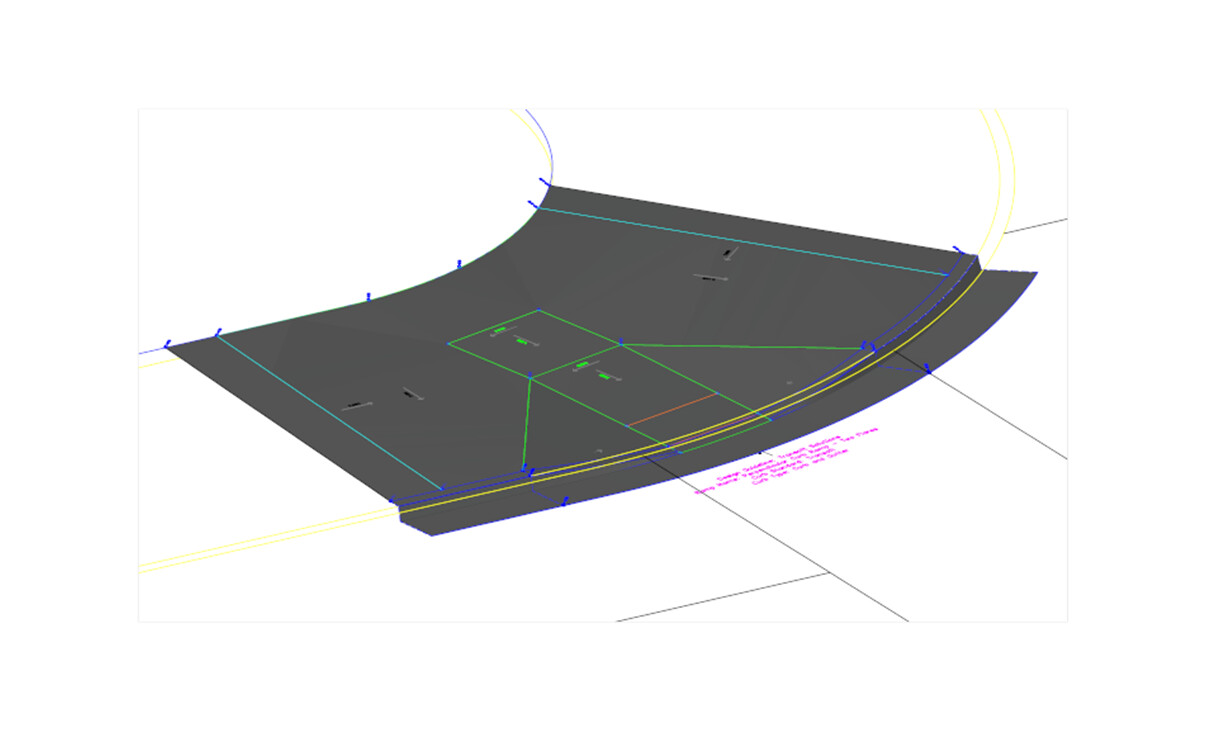
3D Surface Generation
With just a click of a button, your curb ramp surface is quickly generated for easy modeling. Effortlessly tie it back to your existing surface.
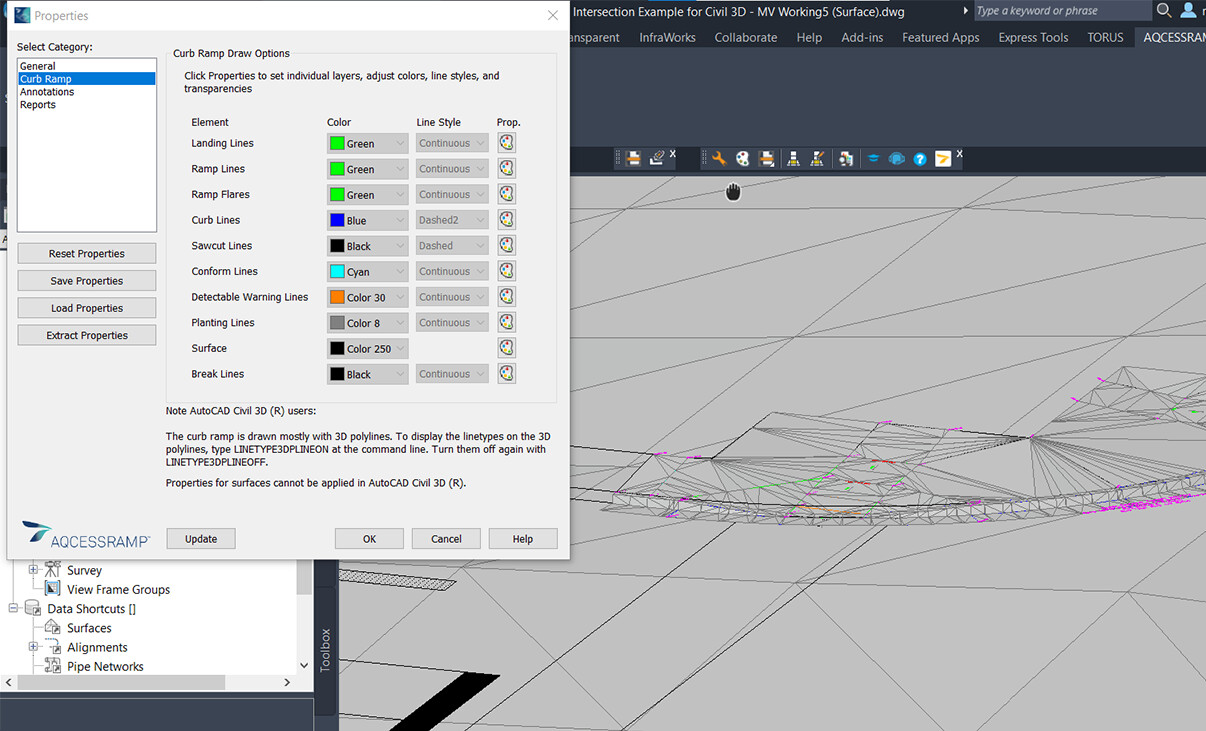
Display Properties
Select the curb ramp elements you wish to display and their visual style according to your CAD standards. These can be stored and shared for consistency.
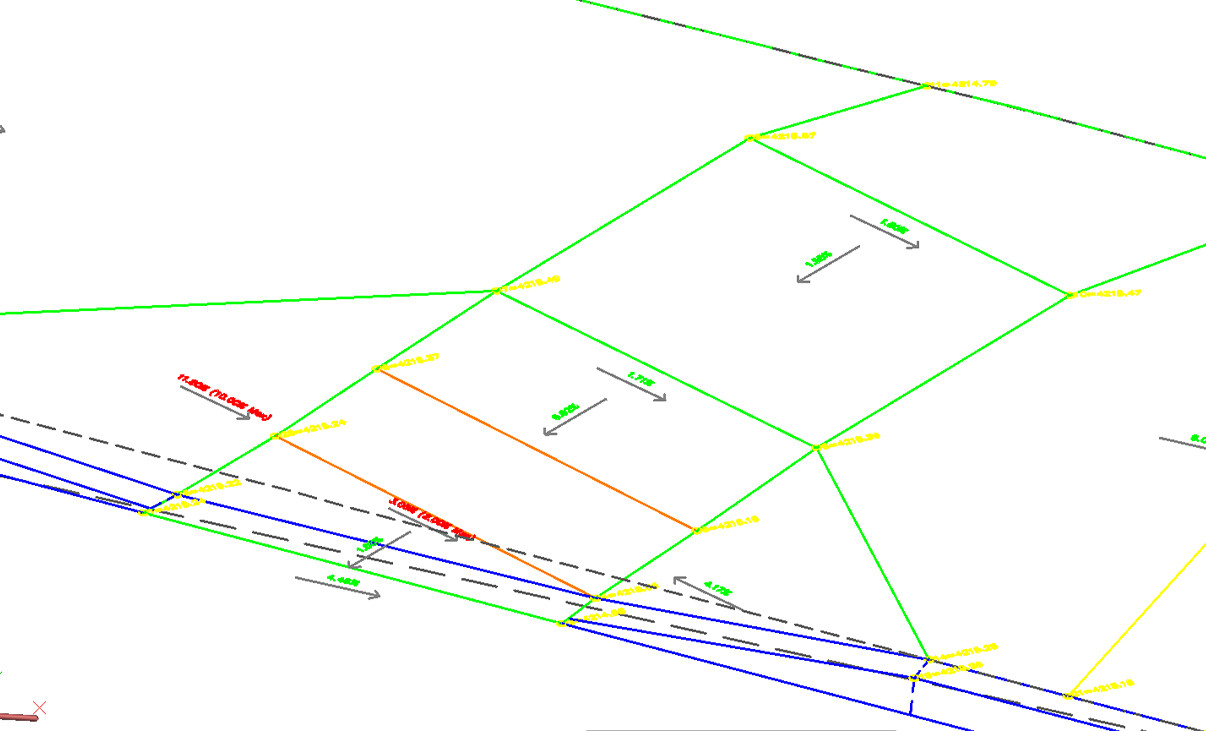
Wedge/Triangular Landing To Non-Perpendicular Curb Ramp
Add and grade a flat/wedge area to any of your angled, non-perpendicular curb ramps for an even transition from the ramp to the pavement. Prevent an uneven surface and reduce tipping hazards for wheelchairs and assistive devices.
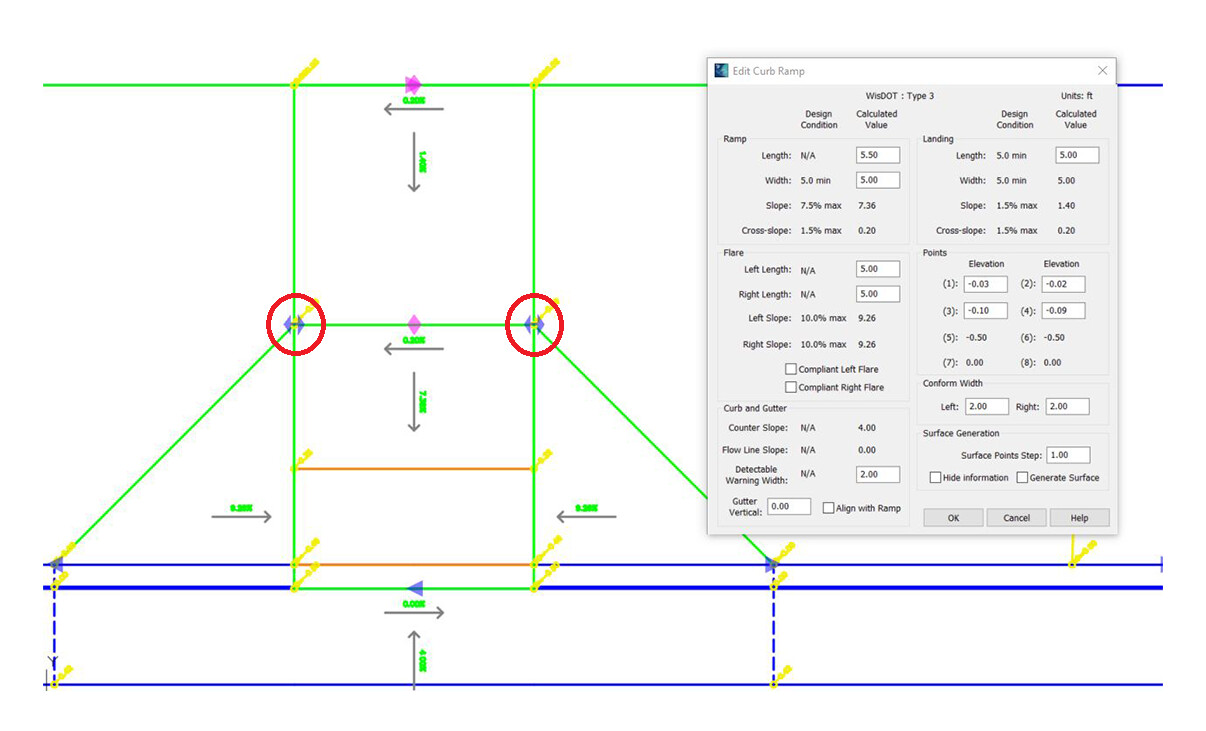
Dynamically Modify Curb Ramp
With dynamic editing, seamlessly drag and drop your curb ramp grip points and all attached geometry updates accordingly, such as slope calculations, top landing, flares, grade breaks and more.
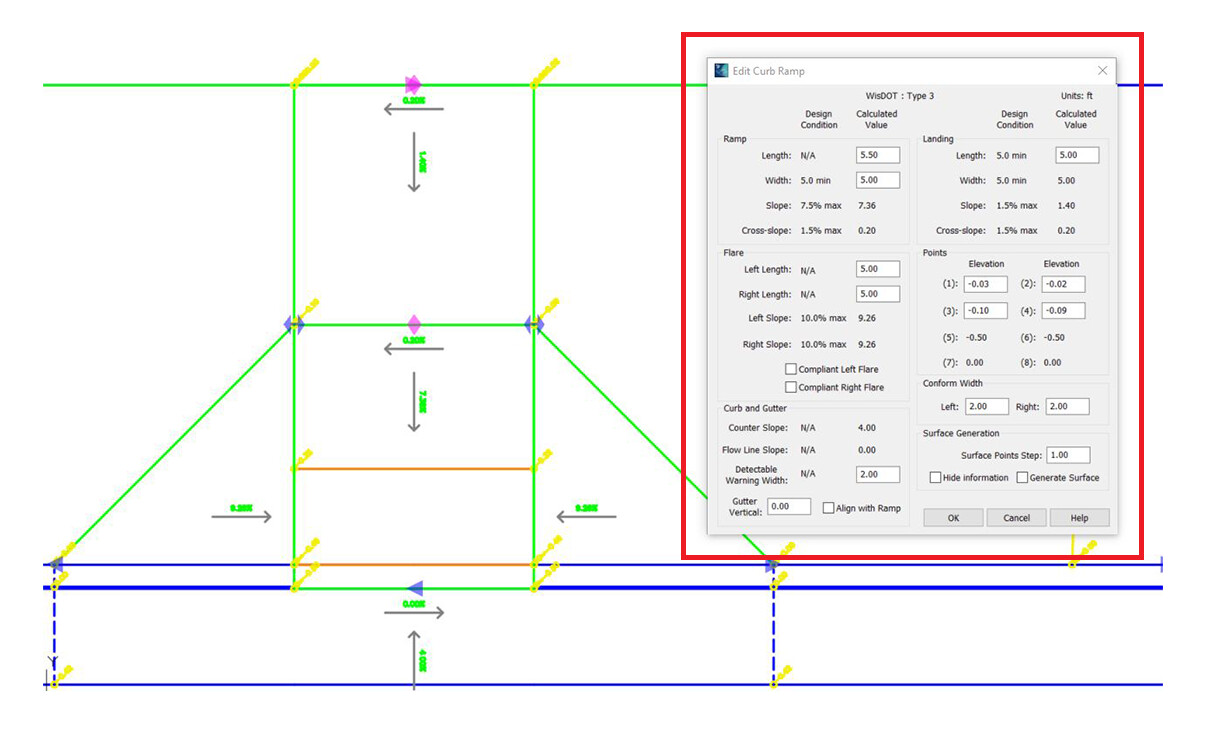
Manually Modify the Curb Ramp
After dynamically editing the ramp to get a close approximation and/or a compliant design, enter the precise values for the different elements of the ramp: length, width, angle, and the elevations of the critical points.
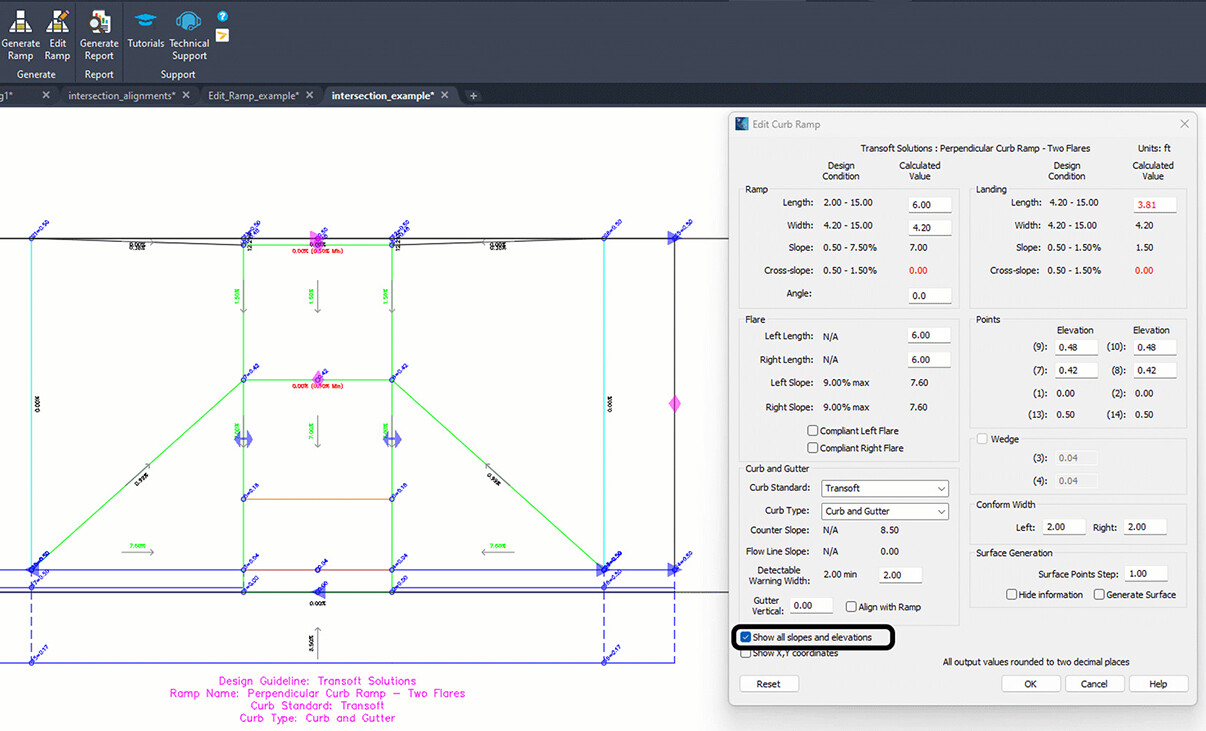
Display Slopes and Elevations
Display the individual elevation points as well as slopes along the sides of the ramp to ensure every aspect of the ramp is compliant.
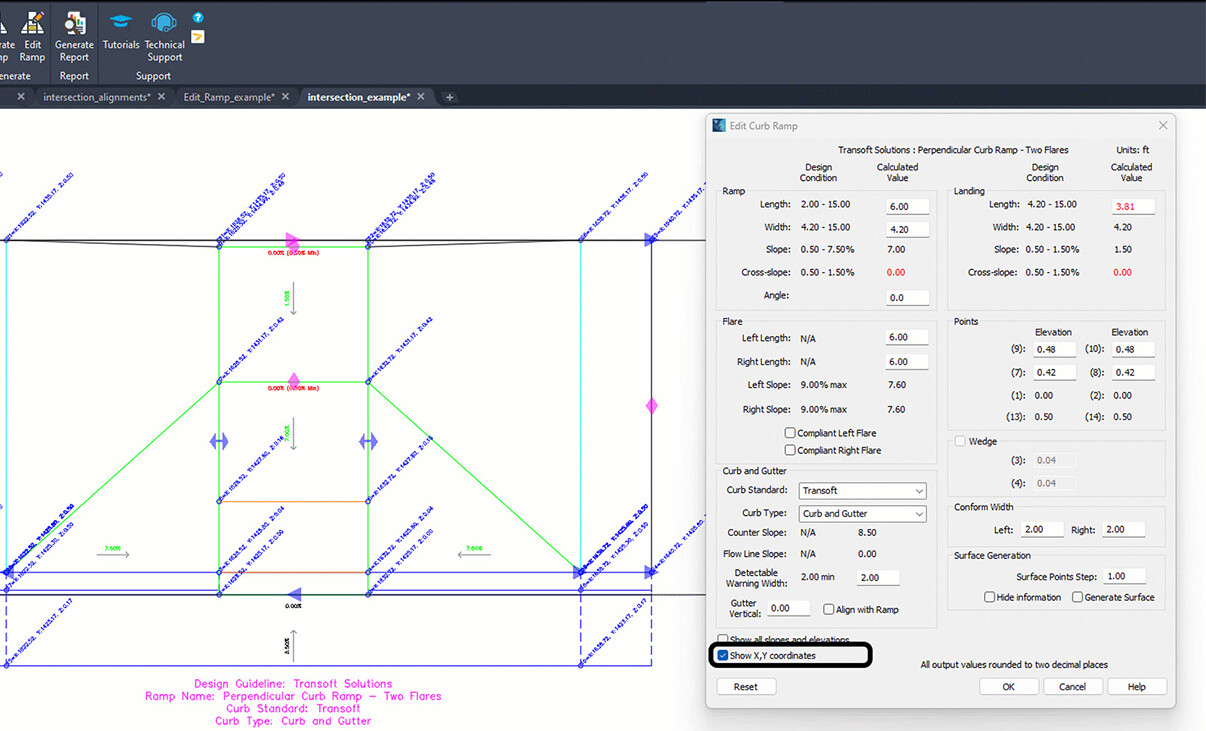
Display X,Y Coordinates
Display x,y coordinates of all the critical points of your ramp to perform any reverse calculations required during a spot check.
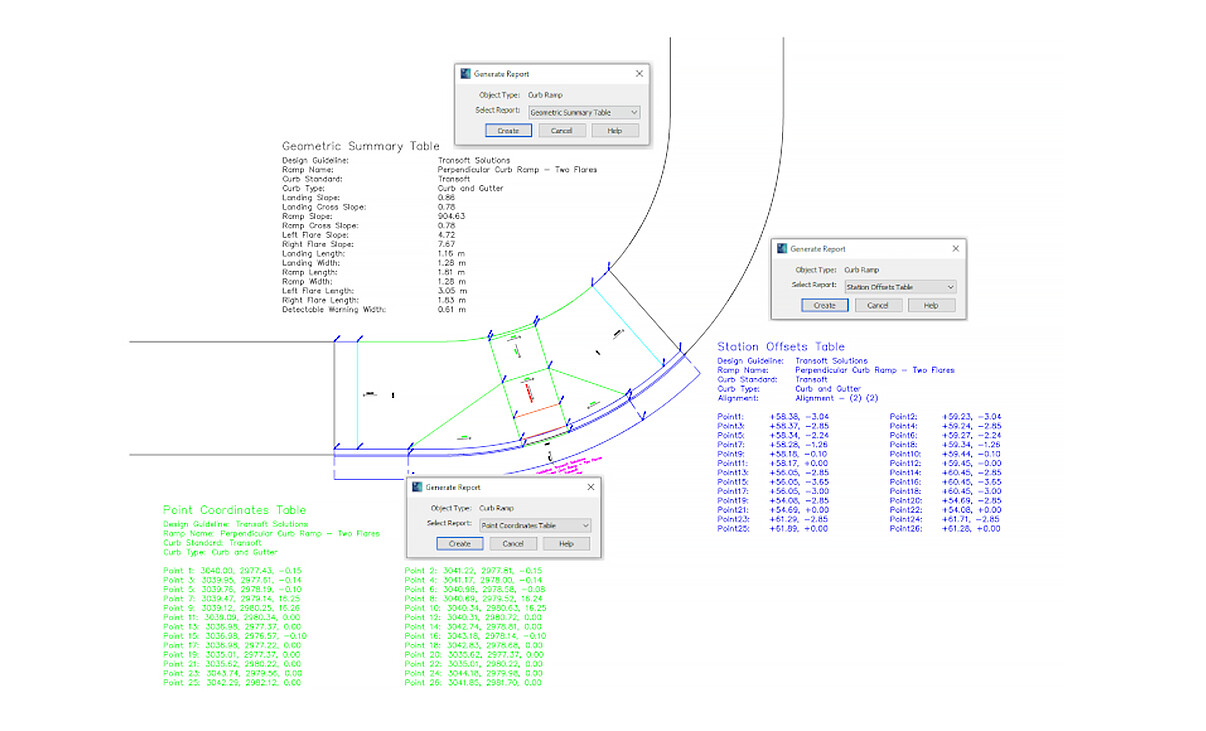
Insert Report Table in Drawings
Add any of the reports available into your drawing for your submission packages. Report the x,y coordinates and elevations of key points for the curb ramp.
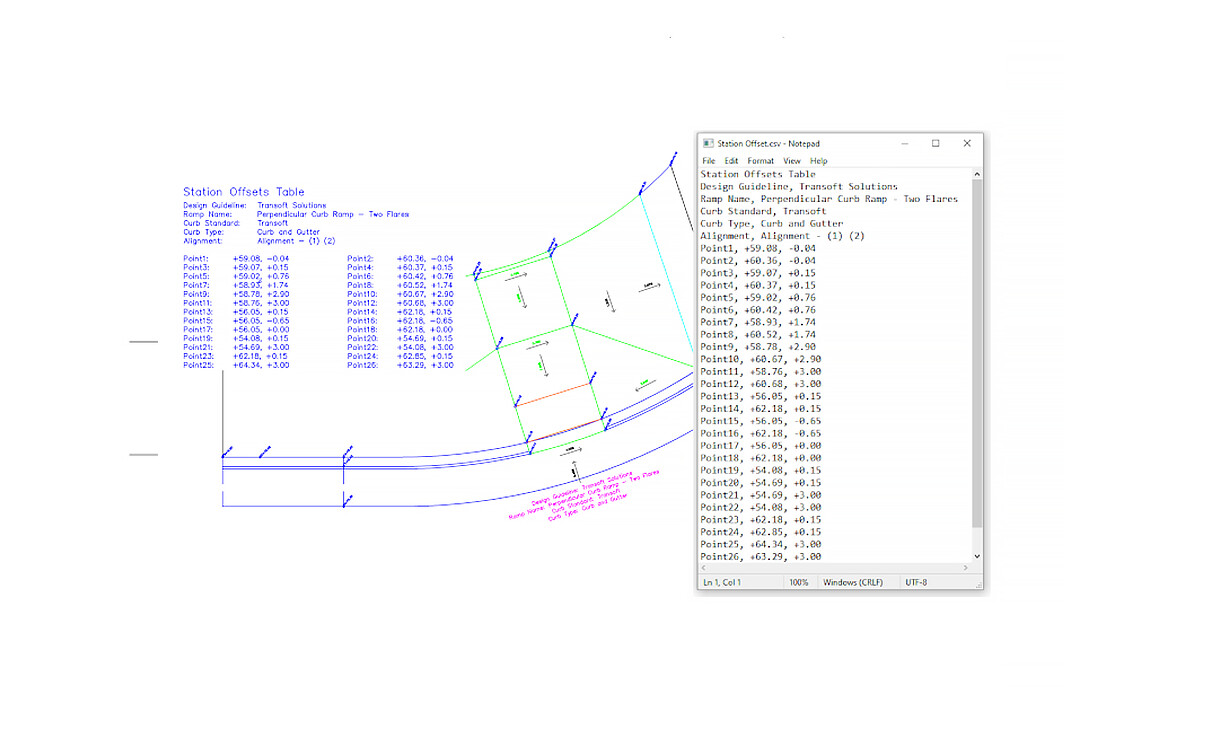
Station Offset Table Report
List all the key points and elevations based on the stationing within the drawing.
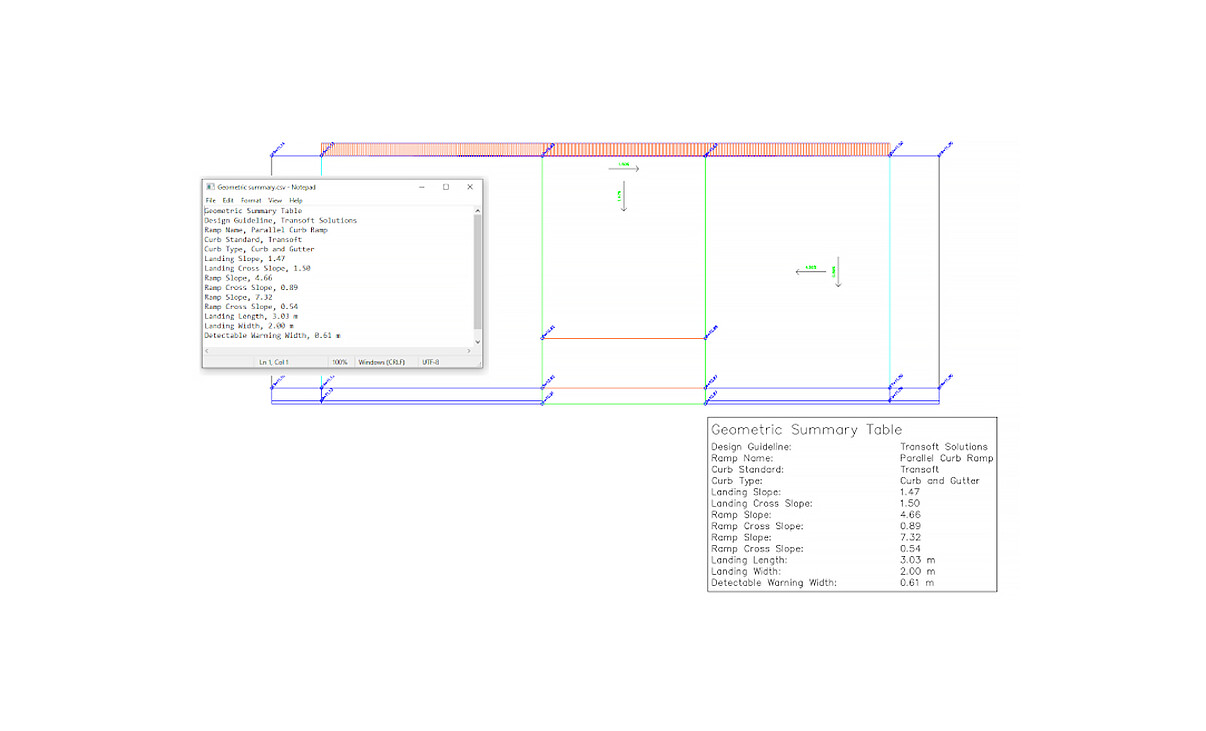
Geometric Summary Report
Generate a report indicating the lengths, widths, and slopes of each element of the curb ramp.
What’s New In AQCESSRAMP
New features have been added, built specifically with your feedback, to ensure accuracy and enhance the appearance of your final drawing.
- More guideline templates from 24 states and ADAAG & FHWA:
- Alabama DOT
- Arkansas DOT
- Connecticut DOT
- Georgia DOT
- Hawaii DOT
- Louisiana DOT
- Maryland DOT
- Missouri DOT
- New Hampshire DOT
- New Jersey DOT
- New York DOT
- North Carolina DOT
- Ohio DOT
- Oklahoma DOT
- Oregon DOT
- Pennsylvania DOT
- South Carolina DOT
- Tennessee DOT
- Texas DOT
- Vermont Transportation
- Virginia DOT
- Washington DOT
- West Virginia DOT
- Wisconsin DOT
- An added Offset Parallel Curb Ramp type
- More guideline notifications for perpendicular curb ramp compliance, including all slopes, cross slopes, and the x, y coordinates
- Added Station Offset Table
- Insert available reports into your submittal drawings
- For Civil 3D users, Feature Lines can be used as input (reference) geometry
- Surface display control
- Added information box for ramp type
- Ability to define a wedge
- Ability to define or use custom curb templates
- Removed define saw cuts and add ramp before placing it
- Additional curb ramp templates
Licensing Options
Transoft offers a range of licensing options to help small, sole proprietorships right on up to the largest multinational organizations meet their transportation design and analysis needs.
User Subscription License (USL) is a model where a set number of Subscribed Users are assigned dedicated access to the software through their unique logins for the duration of the license term. The software can be installed and used by a Subscribed User on multiple workstations.
Each Subscribed User represents one individual and their login and password, which cannot be shared with other users. Software activation is an easy process and can be done over the Internet.
Why Choose the USL Option
User Subscription License offers a cost-effective way for small businesses to start with one user and grow by adding additional users. For larger organizations, it will offer more flexibility in user administration and management via the My Transoft Portal. Furthermore, it can easily handle scalability and budgeting as per the business needs defined by the number of users.
Key Benefits of USL License
- Automatic updates, new features, and content
Bug fixes, compatibility, and new version releases. - Easily manage your changing business needs
With enhanced scalability and user management. - Install the software and log in from anywhere
Access your workstation, laptop, or personal desktop. - Unlimited technical support
Receive premium assistance for all your deployments and technical support needs. - Invitations to learning-focused webinars
Attend learning-focused webinars from our product experts and learn how our software can help streamline design processes. - Flexible user license options
Choose from single to multiple user packages to meet your business needs. - Simple user administration
User Management can be performed in the My Transoft Portal, via invitation links or by Identity Provider Single Sign-on with User Provisioning.
Have more questions about USL? See the FAQ here.
Team Subscription License (TSL) is a license option that is intended to support casual or occasional users of the software. The size of a TSL is represented as a number of allocatable seats.
Why Choose the TSL Option
While User Subscription Licenses are better for dedicated users, Team Subscription Licenses can be a good complement to these if your organization has occasional, less heavy users of the software.
How it Works
Each user of a TSL must have an account in the My Transoft Portal to request a license. Internet access is required for this process.
When an end user starts the software product on their workstation, the software will connect to the My Transoft Portal and will determine if any of the seats are available. If a seat is available, it will be allocated and dedicated to that end user who will have unrestricted access to it for 24 hours. At the end of the 24-hour period the seat allocation will automatically expire, and another user will be able to claim it.
Once all the TSL seats are allocated at a given time, no other end user will be able to use that license until the 24-hour period expires and one of the seats is automatically deallocated.
Key Benefits of TSL
- More flexibility for your team members
Allows access to software for casual users without having to spend on dedicated licenses for all users. - Less administrative effort by IT
Easy access to software for casual users without IT having to allocate or transfer licenses amongst team members, self-administered by users with automatic 24-hour lock. - Combined Team & User Subscription option
Flexibility of mixing plans according to the needs of different user types. - Automatic updates, new features, and content
Bug fixes, compatibility, new version releases, or vehicle guidelines are automatically available to you. - Easily manage your changing business needs
With enhanced scalability and user management. - Install the software and log in from anywhere
Access your workstation, laptop, or personal desktop with Single Sign-on. - Unlimited technical support
Receive premium assistance for all your deployments and technical support needs. - Invitations to learning-focused webinars
Attend learning-focused webinars from our product experts and learn how our software can help streamline design processes. - Simple user administration
User Management can be performed in the My Transoft Portal, via invitation links or by Identity Provider Single Sign-on with User Provisioning.
Transoft Support
We take pride in delivering complete customer satisfaction. Get help with products, downloads, technical support, and more.

My Transoft Portal
Transoft's product enhancements are periodically released to provide access to new features, fixes, and security updates. For many products, you can find these updates and download them directly from My Transoft Portal.

Software License Agreement
For information on terms and conditions detailing the usage of our software, please refer to Transoft’s Software License Agreement (SLA).

Software FAQ
Search our extensive product knowledgebase that address some of the most frequently asked questions regarding Transoft ‘s software.

Help Desk
Find answers to your issues on a variety of topics or request Technical Support. Get help with downloading and installing your software, managing your account, product compatibility and much more.

Licensing Options
Transoft offers a range of licensing options to help small, sole proprietorships right on up to the largest multinational organizations meet their transportation design and analysis needs.

Project Support Services
Need assistance with custom drawings and content creation related to your project design work? Transoft’s team of consultants can help. We deliver fast and helpful services for clients requesting additional assistance with drawings and simulations related to their project design work.
Training
We offer many excellent opportunities for you to take a more interactive approach in learning about our solutions. From webinars to how to videos, find what you need here.
AQCESSRAMP Videos
Request a Quote
Thank you for your interest in AQCESSRAMP. Fill out the form to receive information on purchasing and licensing options or if you have questions in general about the software.
On business days, you can expect a response within 24 hours of your request.