

Design Complex Markings With Ease
AeroSTRIPE offers a range of features that will significantly improve the way you manage your airside marking projects. Design runway, taxiway and apron markings using the software’s impressive libraries of both ICAO and FAA elements, standard road text markings and symbols that are predrawn to the correct size and shape.
Being able to visualize your drawings is important for any marking design project. AeroSTRIPE comes with 3D viewing and visualization tools as standard, allowing you to quickly generate 3D visualizations and provide views from any viewpoint in the drawing.
Design and edit complex airside markings quickly and within the permitted minimum and maximum standards.
Platform Compatibility
We strive to keep our products compatible with the latest operating systems and platforms. Find the latest product compatibility information for Transoft products.
English
What Makes Aerostripe Unique
Design complex marking systems with ease
Create a variety of markings including runway, apron, taxiway, and wide range of airport markings from both the ICAO and FAA standards.
Easy-to-use functionality
AeroSTRIPE includes a full library of line types, text and symbols for various territories around the world, and leverages familiar CAD techniques to help reduce development time and costs.
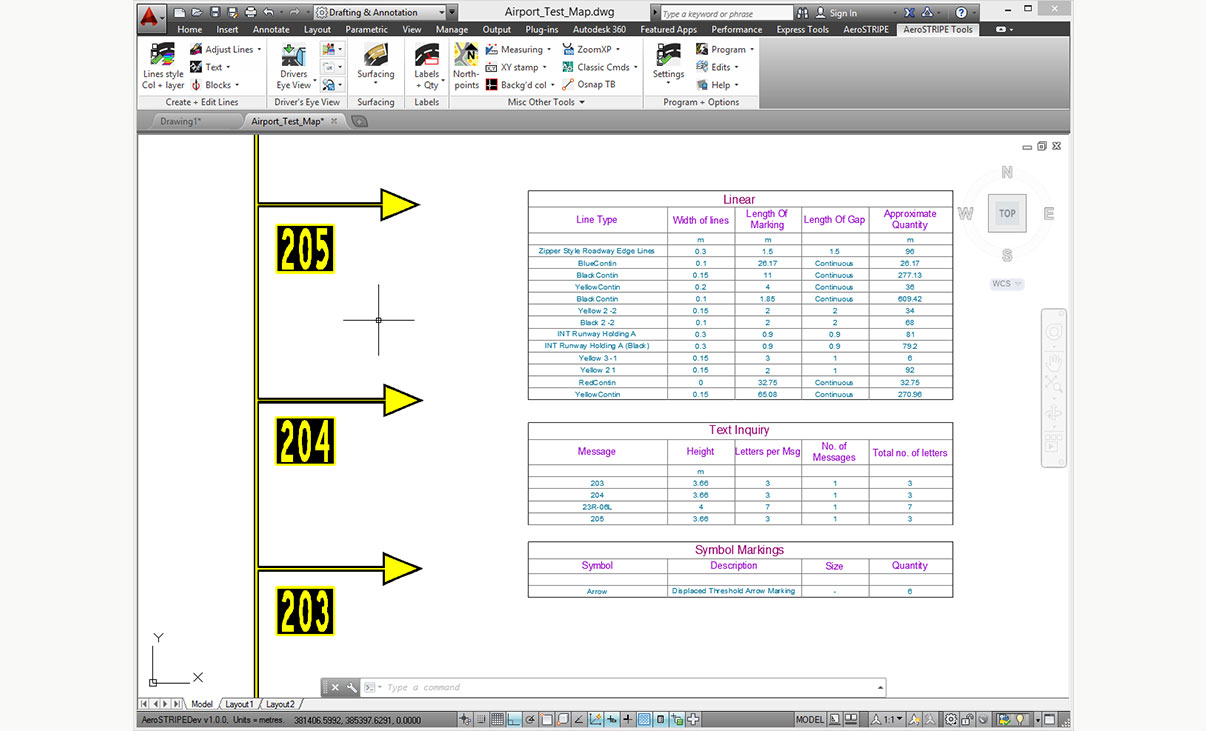
Generate table of quantities
AeroSTRIPE instantly generates a table of quantities of its features in the drawing, reducing the time to calculate the total lengths of lines for quantity take-off.
Correct and revise easily
Dynamic editing capabilities provide accuracy and flexibility, while providing immediate feedback and guidance saves you time from re-working the designs.
Features
Intelligent Airside Design
AeroSTRIPE enables you to draw complex airside markings quickly and accurately to achieve your required results using a single feature, avoiding the need to use many separate, disassociated CAD entities.
- Uses rule-based markings to ensure adherence to ICAO and FAA standards
- Includes comprehensive set of airside-appropriate symbols, text, arrows and linetypes
- Flexible labelling routines allow for a design to be annotated, using pre-defined and editable text
- Quantity takeoff schedules can be extracted for costing
- 3D view routines ensure markings are clearly seen and understood
EXPLORE FEATURES
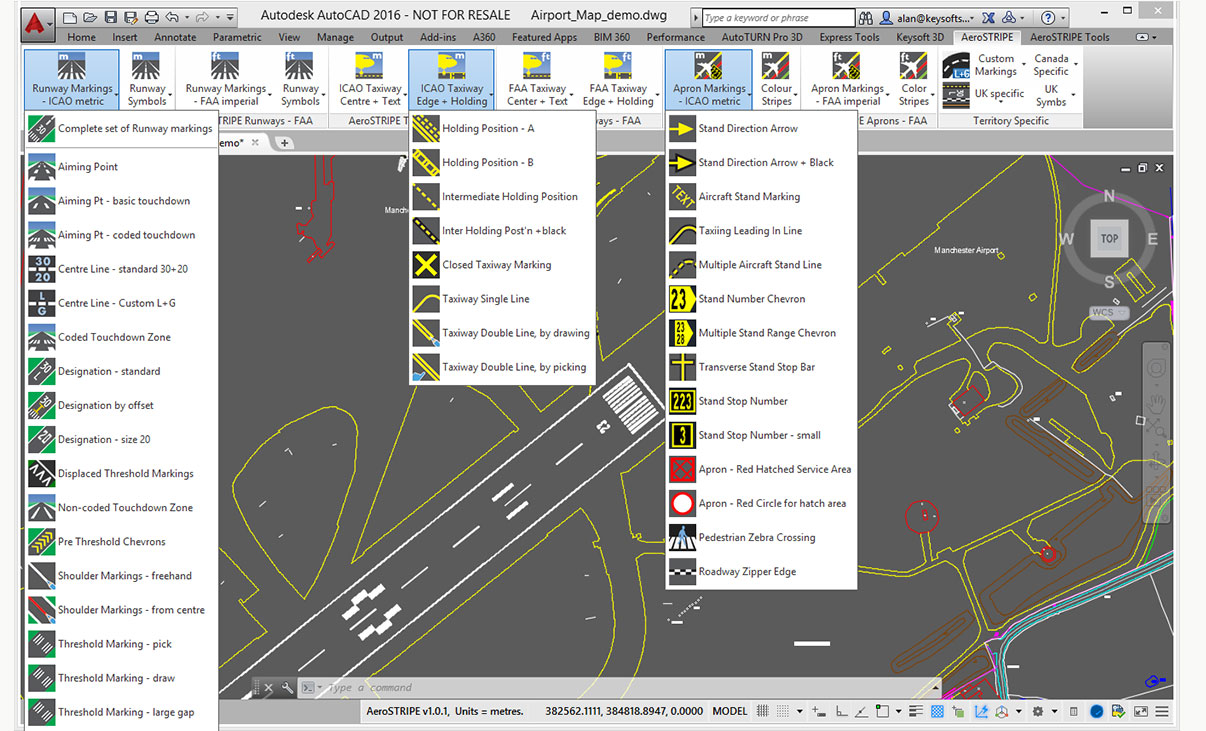
Airport Markings
Draw a wide range of airport markings from both ICAO and FAA standards. AeroSTRIPE includes a full library of line types, text and symbols for various territories around the world.
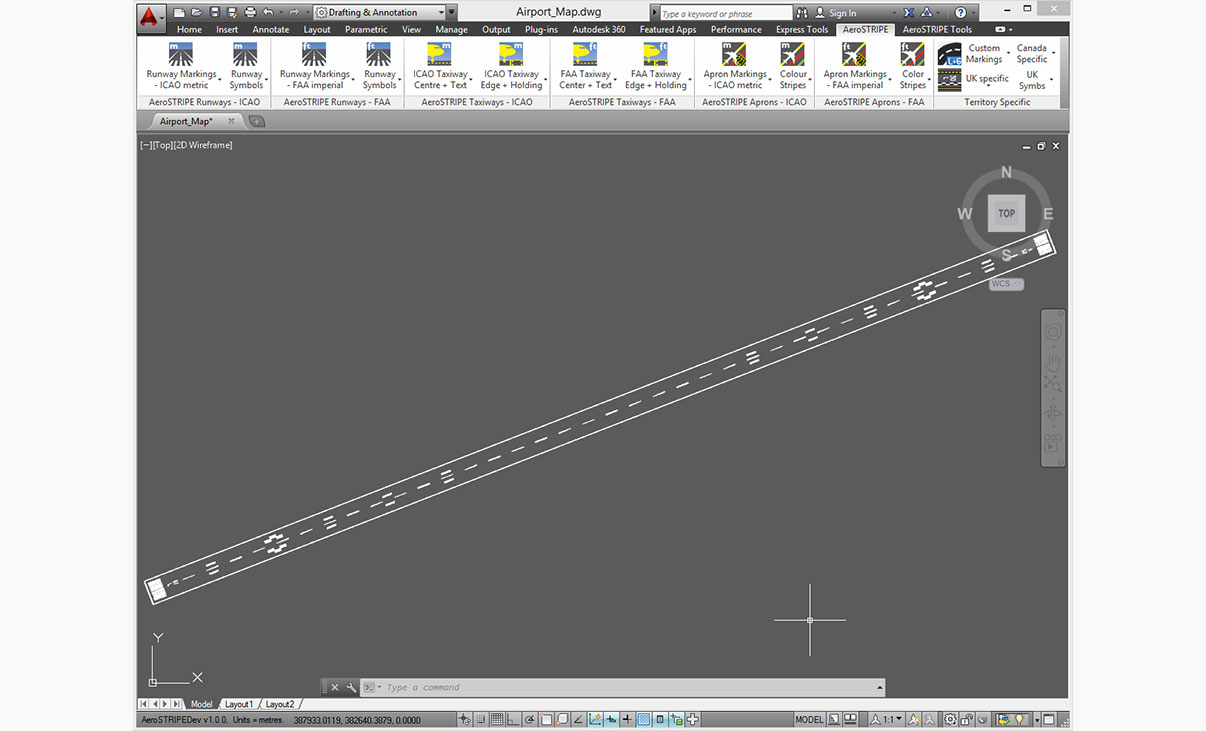
Runway Markings
With AeroSTRIPE you can draw runway markings, including center stripes, touchdown marks, threshhold bars, edge lines and other symbols.
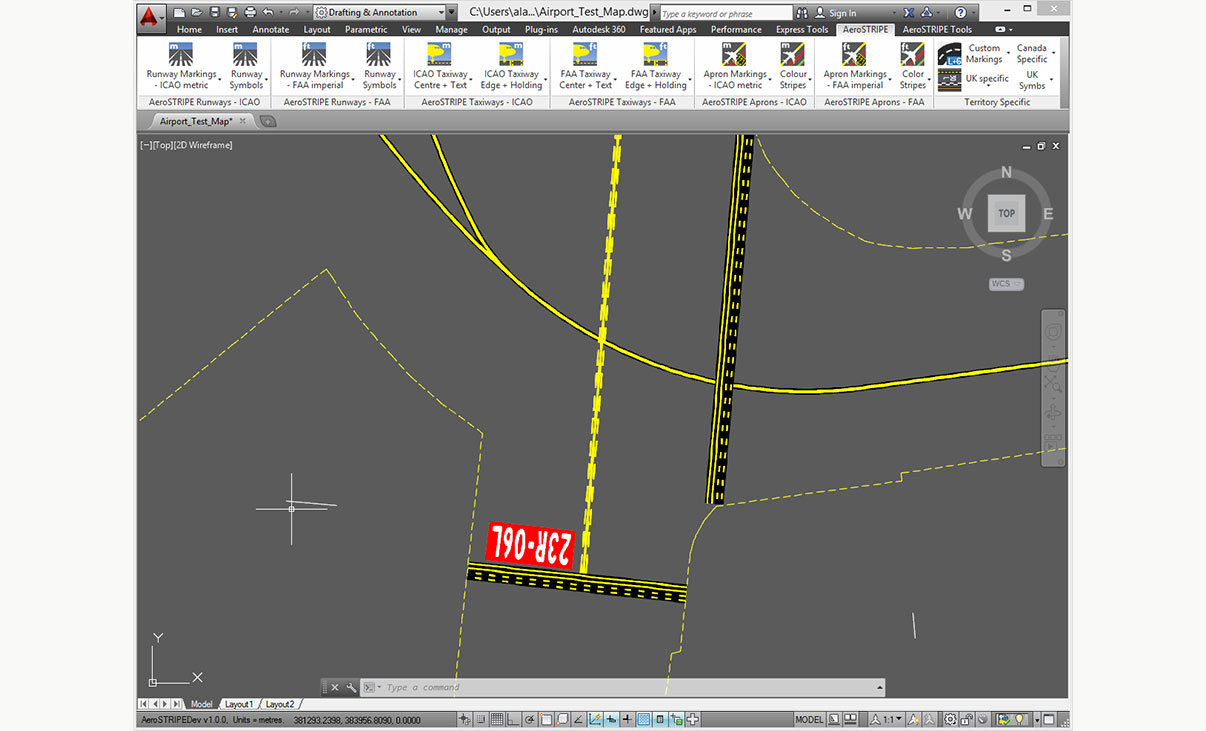
Taxiway Markings
AeroSTRIPE allows you to draw complex markings using a single line, for example, taxiway markings with black edging and drawing edge markings with perpendicular bars, as easily as drawing a regular line.
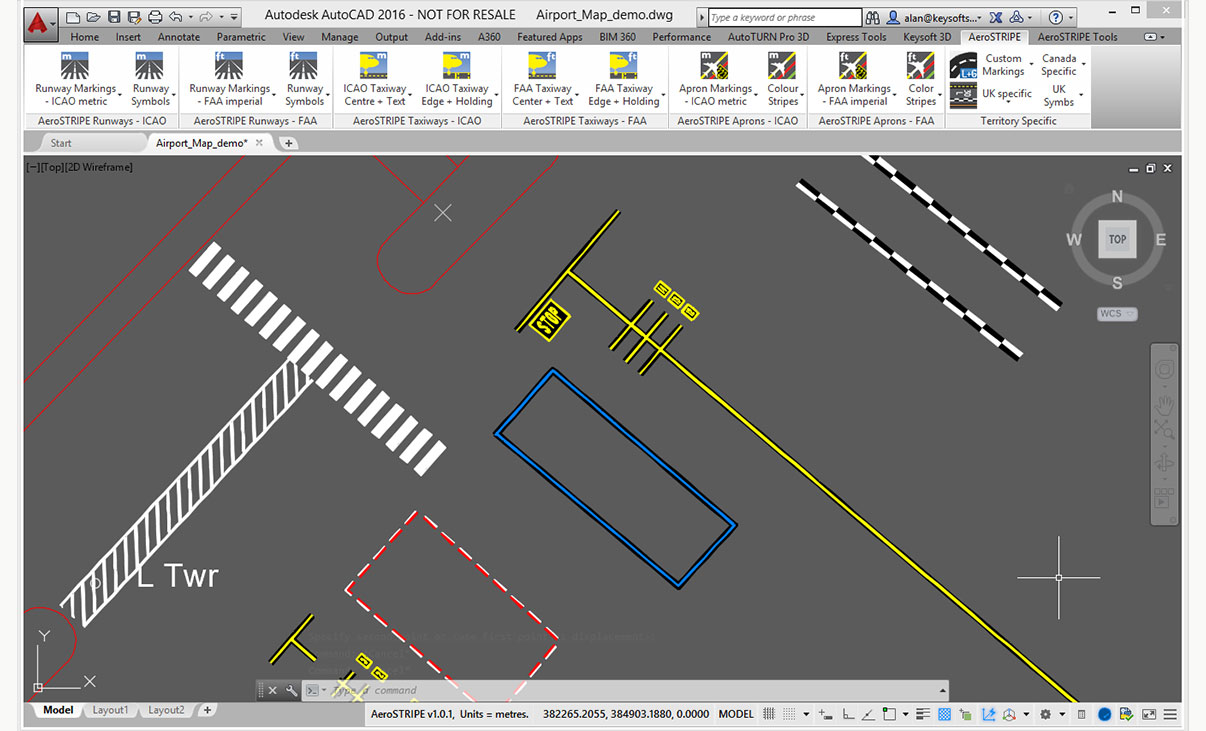
Apron Markings
With it’s wide range of apron markings, AeroSTRIPE will help you to quickly draw complex marking layouts for areas around aprons. Save time by drawing complex sets of markings as one single entity.
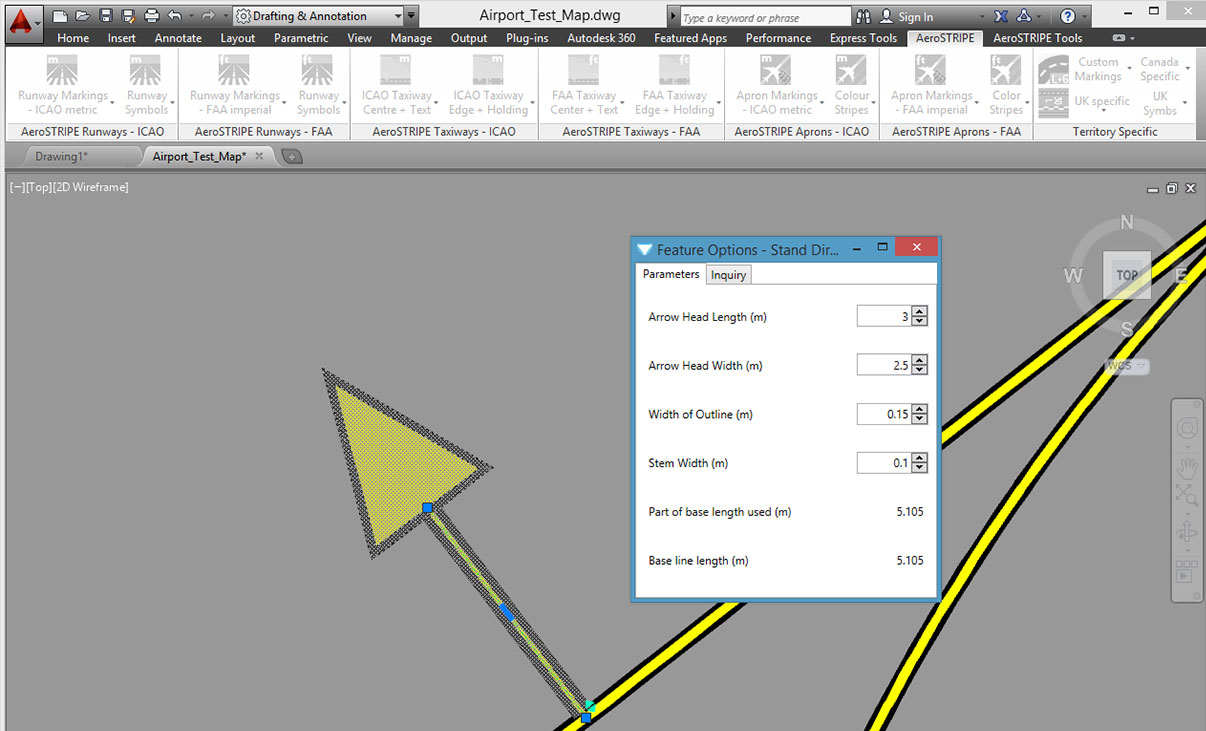
Editing with Ease
AeroSTRIPE makes editing a breeze by retaining its objects as ‘sets of markings’. The software automatically redraws the black edge stripes every time a main marking is modified.
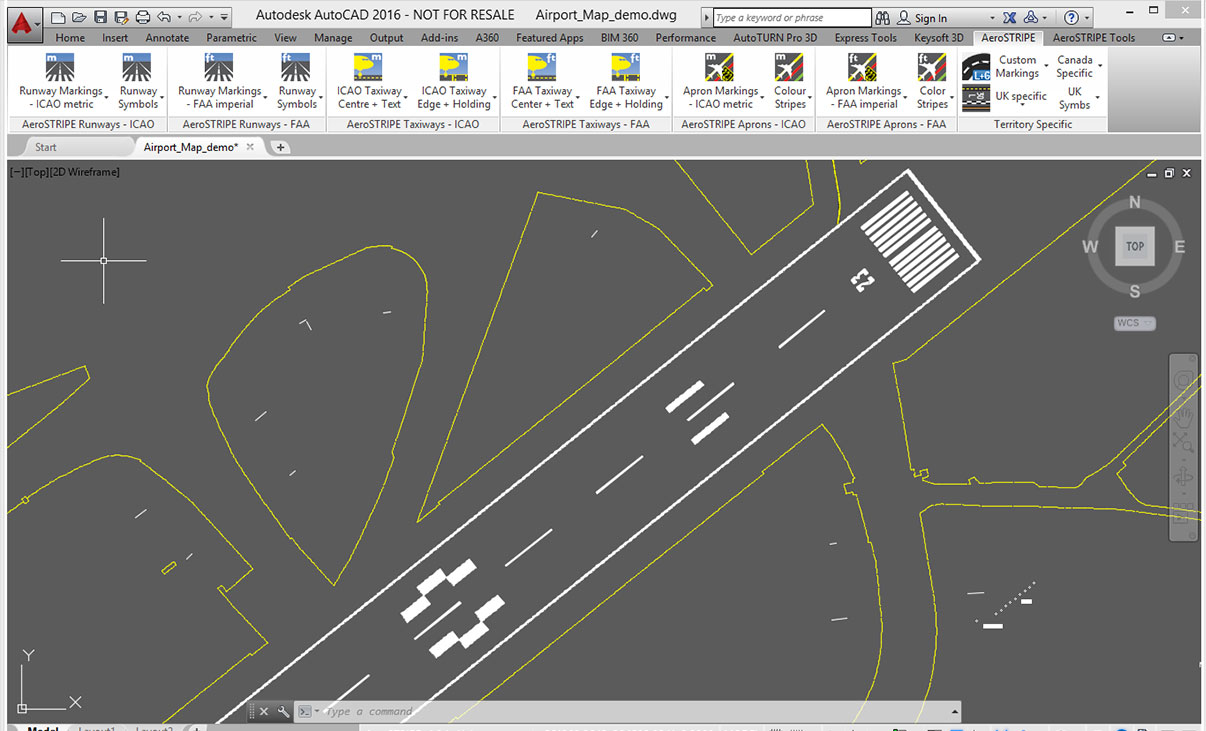
Standard Drawing Format
By working with industry standard AutoCAD and AutoCAD Map to transform your drawing production methods, AeroSTRIPE is easy to learn and feels familiar to use.
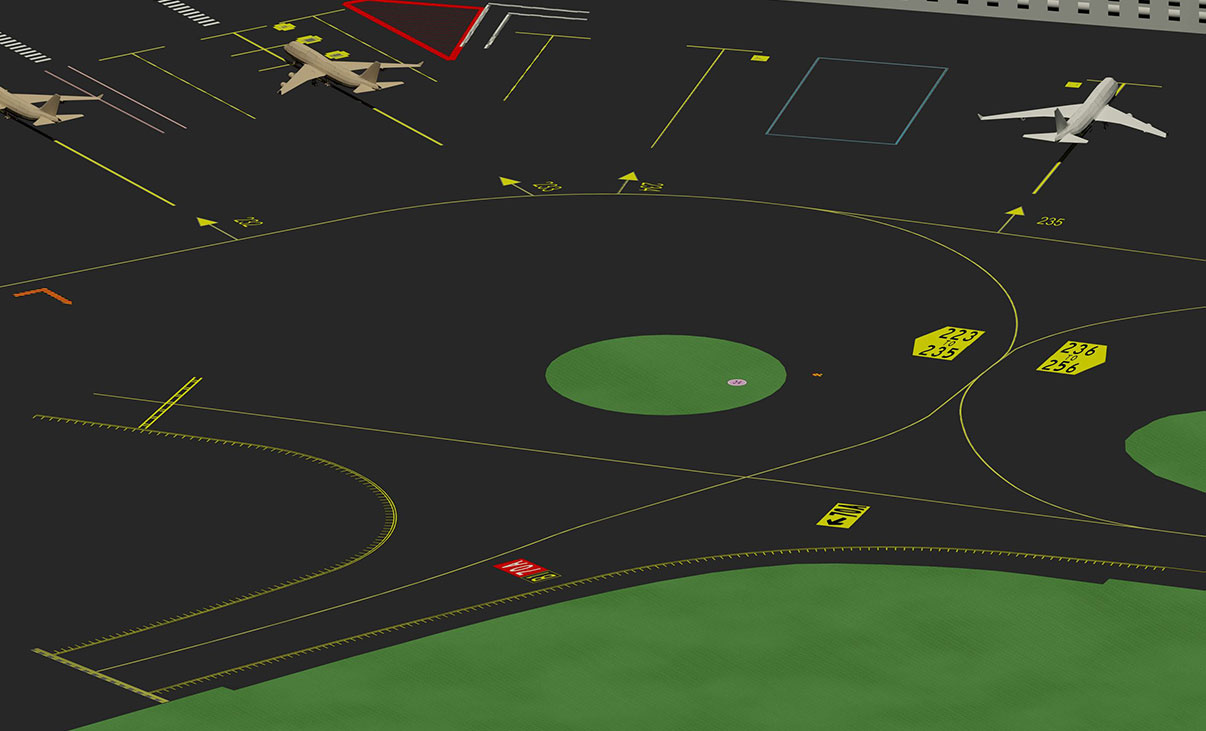
3D Visualization
3D viewing is standard in AeroSTRIPE. There are various tools at your disposal that allow you to quickly generate 3D visualizations and provide views from any viewpoint in the drawing.
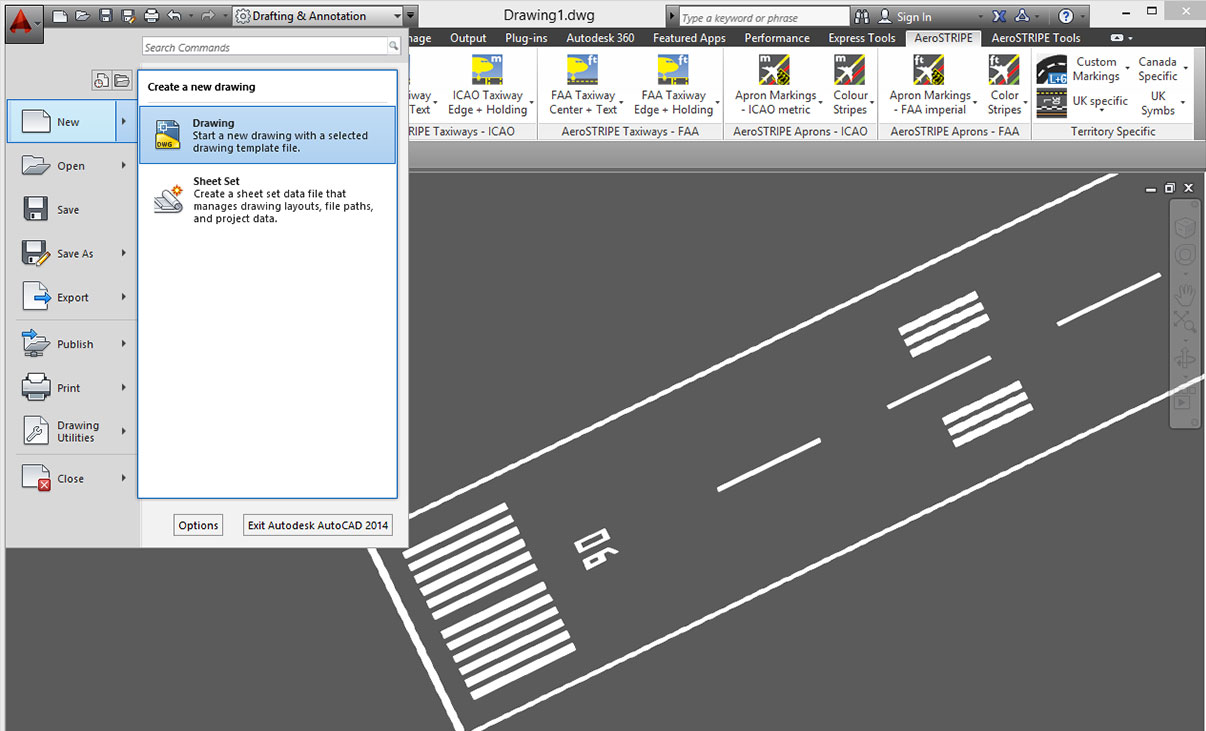
Common Staff Skills
Share the standard DWG output file quickly and easily with your design partners and clients. The user’s existing knowledge and investment in AutoCAD will be utilized and improved.
Quantity Take Off
Instantly generate a table of quantities in the drawing. Quantities can be created for the entire drawing or partial quantities where it is necessary to assess options. Drawing schedules can be extracted to allow costing where rates are available.
Licensing Options
Transoft offers a range of licensing options to help small, sole proprietorships right on up to the largest multinational organizations meet their transportation design and analysis needs.
La licencia de suscripción de usuario es un modelo en el cual un número establecido de usuarios suscritos tienen acceso dedicado al software a través de sus inicios de sesión únicos durante la duración del término de la licencia. El software puede ser instalado y utilizado por un usuario suscrito en múltiples estaciones de trabajo.
Cada usuario suscrito representa a un individuo y su inicio de sesión y contraseña, los cuales no pueden compartirse con otros usuarios. La activación del software es un proceso sencillo que puede realizarse desde Internet.
¿Por qué elegir la opción de suscripción de usuario?
La licencia de suscripción de usuario ofrece una forma económica para las pequeñas empresas de empezar con 1 usuario e ir creciendo con la adición de más usuarios. Para organizaciones de mayor tamaño, ofrecerá una mayor flexibilidad en la administración y gestión de los usuarios mediante el Portal My Transoft. Además, permite una fácil capacidad de ampliación y un mayor control presupuestario según las necesidades empresariales y el número de usuarios.
VENTAJAS PRINCIPALES Y VALOR DE LA ACTUALIZACIÓN A LA LICENCIA DE SUSCRIPCIÓN DE USUARIO
- Actualizaciones automáticas y nuevas funciones
Las actualizaciones del software, las nuevas funciones y las bibliotecas son importantes, pero no siempre gratuitas. Con la suscripción de usuario recibirá soluciones para los errores, actualizaciones de compatibilidad y mejoras en las funciones de forma automática, sin ninguna inversión adicional. - Capacidad de ampliación y gestión de dispositivos mejorada
A medida que su empresa crece, cambiará el número de licencias de software que pueda requerir. Con la suscripción de usuario que ofrecemos, tendrá la posibilidad de añadir y reasignar a usuarios, lo que le permitirá gestionar los costes y presupuestos de forma mejorada, junto con los informes sobre usuarios. - Acceso al software
Acceda a su estación de trabajo, portátil o escritorio personal. - Soporte técnico ilimitado
Reciba una asistencia premium para todas sus implementaciones y necesidades de soporte técnico con una línea telefónica y correo electrónico dedicados. Si fuera necesario, puede solicitar una sesión de soporte individualizada con expertos en los productos. - Invitaciones a seminarios web
Únase a nuestros habituales seminarios web. Estos webinars en directo son una excelente forma de conocer cómo puede ayudarle nuestro software a simplificar los procesos de diseño y reducir los costes de los proyectos. - Opciones de licencia de usuario flexibles
Elija entre los paquetes de uno o varios usuarios que satisfagan sus necesidades empresariales en evolución. Póngase en contacto con nuestro equipo de ventas para obtener la información completa. - Administración de Usuarios Simple
La gestión de usuarios se puede realizar en el My Transoft Portal, a través de enlaces de invitación o mediante Inicio de Sesión Único con proveedores de identidad y aprovisionamiento de usuarios.
La licencia de suscripción de equipo (TSL) es una opción de licencia que está destinada a admitir usuarios ocasionales u ocasionales del software.
¿Por qué elegir la opción de suscripción de equipo?
Mientras que las licencias de suscripción de usuario (USL) son mejores para usuarios dedicados, las licencias de suscripción de equipo pueden ser un buen complemento para estos si su organización tiene usuarios ocasionales y menos intensos del software.
CÓMO FUNCIONA
Cada usuario de una licencia de suscripción de equipo debe tener una cuenta en el portal My Transoft para solicitar una licencia. Se requiere acceso a Internet para este proceso.
Cuando un usuario final inicia el producto de software en su estación de trabajo, el software se conectará al portal My Transoft y determinará si hay licencias disponibles. En caso de que las haya, se asignará y se dedicará una licencia a ese usuario final durante un período de 24 horas en el que podrá acceder de forma ilimitada. Al finalizar el período de 24 horas, la asignación de la licencia vencerá automáticamente y otro usuario podrá reclamarla.
Una vez que todas las licencias de suscripción de equipo están asignadas, ningún otro usuario final podrá utilizarlas hasta que finalice el período de 24 horas y una de ellas pueda reasignarse automáticamente.
PRINCIPALES VENTAJAS DE LA LICENCIA DE SUSCRIPCIÓN DE EQUIPO
- Más flexibilidad para los miembros de su equipo
Permite el acceso al software para los usuarios ocasionales sin tener que gastar en licencias dedicadas para todos los usuarios. - Menos esfuerzo administrativo por parte del equipo de TI
Fácil acceso al software para los usuarios ocasionales sin que el departamento de TI tenga que asignar o transferir licencias entre los miembros del equipo; gestión automática por parte de los usuarios con bloqueo automático de 24 horas. - Opción de suscripción combinada de equipos y usuarios
Flexibilidad para mezclar planes según las necesidades de los distintos tipos de usuarios. - Actualizaciones automáticas, nuevas funciones y contenido
Dispondrá automáticamente de las soluciones para los errores, compatibilidad, nuevas versiones o normativas para vehículos. - Gestione con facilidad las necesidades cambiantes de su empresa
Con mejoras en la capacidad de ampliación y la gestión de usuarios. - Instale el software e inicie sesión desde cualquier lugar
Acceda a su estación de trabajo, portátil u ordenador de sobremesa con el Inicio de sesión único. - Soporte técnico ilimitado
Reciba asistencia prémium para todas sus implementaciones y necesidades de soporte técnico. - Invitaciones a seminarios web orientados a la formación
Asista a seminarios web orientados a la formación impartidos por nuestros expertos en productos y aprenda cómo nuestro software puede ayudarle a simplificar los procesos de diseño. - Administración de Usuarios Simple
La gestión de usuarios se puede realizar en el My Transoft Portal, a través de enlaces de invitación o mediante Inicio de Sesión Único con proveedores de identidad y aprovisionamiento de usuarios.
Transoft Support
We take pride in delivering complete customer satisfaction. Get help with products, downloads, technical support, and more.

My Transoft Portal
Transoft's product enhancements are periodically released to provide access to new features, fixes, and security updates. For many products, you can find these updates and download them directly from My Transoft Portal.

Software License Agreement
For information on terms and conditions detailing the usage of our software, please refer to Transoft’s Software License Agreement (SLA).

Software FAQ
Search our extensive product knowledgebase that address some of the most frequently asked questions regarding Transoft ‘s software.

Help Desk
Find answers to your issues on a variety of topics or request Technical Support. Get help with downloading and installing your software, managing your account, product compatibility and much more.
Licensing Options
Transoft offers a range of licensing options to help small, sole proprietorships right on up to the largest multinational organizations meet their transportation design and analysis needs.

Project Support Services
Need assistance with custom drawings and content creation related to your project design work? Transoft’s team of consultants can help. We deliver fast and helpful services for clients requesting additional assistance with drawings and simulations related to their project design work.
Training
We offer many excellent opportunities for you to take a more interactive approach in learning about our solutions. From webinars to how to videos, find what you need here.
AeroSTRIPE Videos
Request a Quote
Thank you for your interest in AeroSTRIPE. Fill out the form to receive information on purchasing and licensing options or if you have questions in general about the software.
On business days, you can expect a response within 24 hours of your request.