

Design Complex Markings With Ease
AeroSTRIPE offers a range of features that will significantly improve the way you manage your airside marking projects. Design runway, taxiway and apron markings using the software’s impressive libraries of both ICAO and FAA elements, standard road text markings and symbols that are predrawn to the correct size and shape.
Being able to visualize your drawings is important for any marking design project. AeroSTRIPE comes with 3D viewing and visualization tools as standard, allowing you to quickly generate 3D visualizations and provide views from any viewpoint in the drawing.
Design and edit complex airside markings quickly and within the permitted minimum and maximum standards.
Platform Compatibility
We strive to keep our products compatible with the latest operating systems and platforms. Find the latest product compatibility information for Transoft products.
English
What Makes Aerostripe Unique
Design complex marking systems with ease
Create a variety of markings including runway, apron, taxiway, and wide range of airport markings from both the ICAO and FAA standards.
Easy-to-use functionality
AeroSTRIPE includes a full library of line types, text and symbols for various territories around the world, and leverages familiar CAD techniques to help reduce development time and costs.
Generate table of quantities
AeroSTRIPE instantly generates a table of quantities of its features in the drawing, reducing the time to calculate the total lengths of lines for quantity take-off.
Correct and revise easily
Dynamic editing capabilities provide accuracy and flexibility, while providing immediate feedback and guidance saves you time from re-working the designs.
Features
Intelligent Airside Design
AeroSTRIPE enables you to draw complex airside markings quickly and accurately to achieve your required results using a single feature, avoiding the need to use many separate, disassociated CAD entities.
- Uses rule-based markings to ensure adherence to ICAO and FAA standards
- Includes comprehensive set of airside-appropriate symbols, text, arrows and linetypes
- Flexible labelling routines allow for a design to be annotated, using pre-defined and editable text
- Quantity takeoff schedules can be extracted for costing
- 3D view routines ensure markings are clearly seen and understood
EXPLORE FEATURES
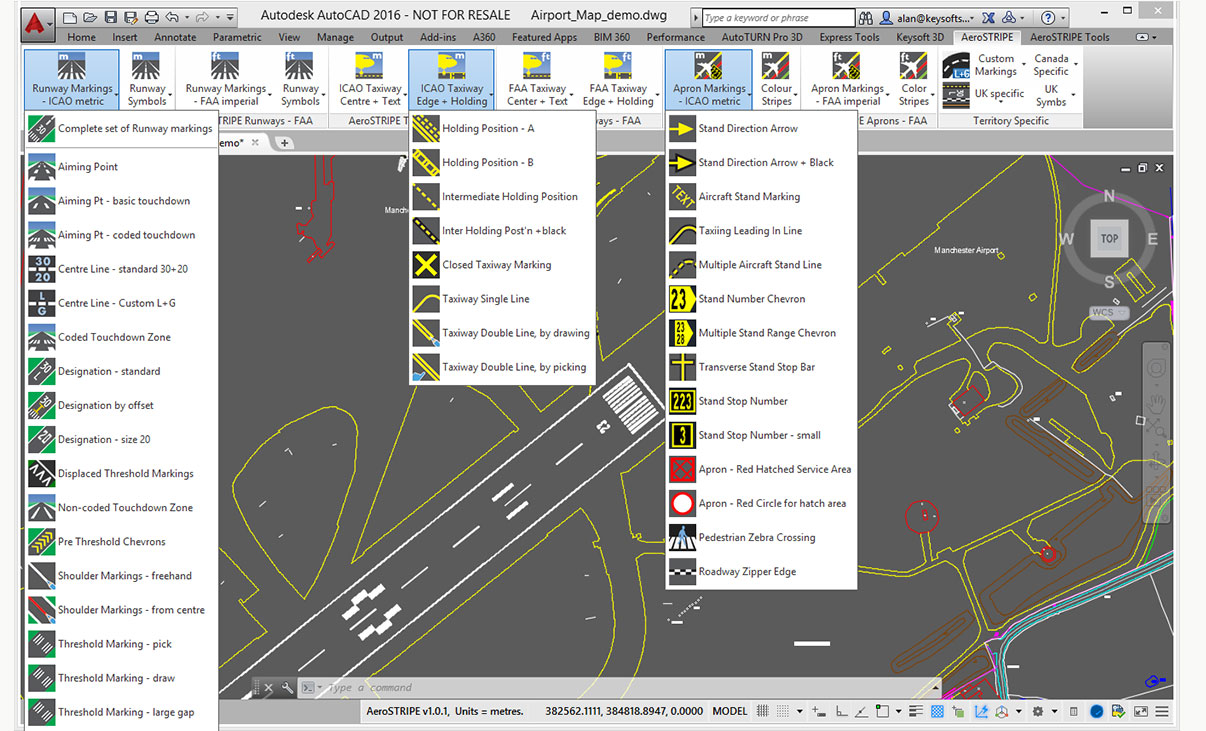
Airport Markings
Draw a wide range of airport markings from both ICAO and FAA standards. AeroSTRIPE includes a full library of line types, text and symbols for various territories around the world.
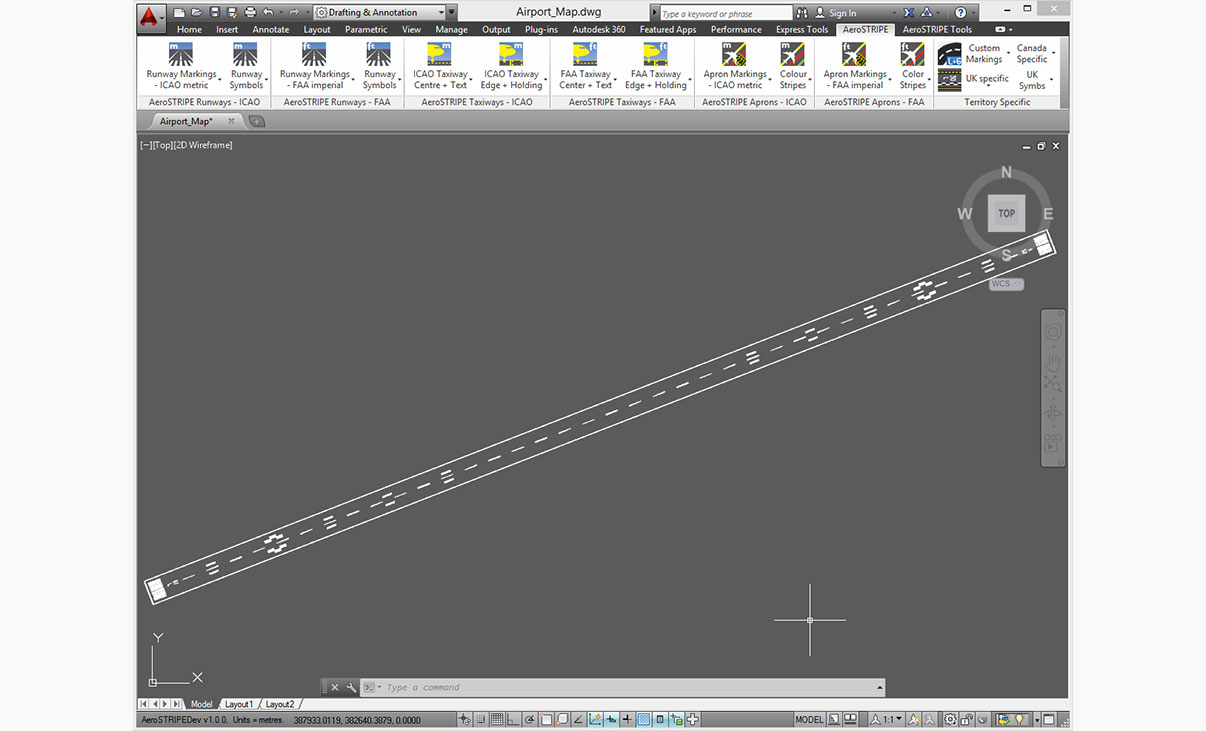
Runway Markings
With AeroSTRIPE you can draw runway markings, including center stripes, touchdown marks, threshhold bars, edge lines and other symbols.
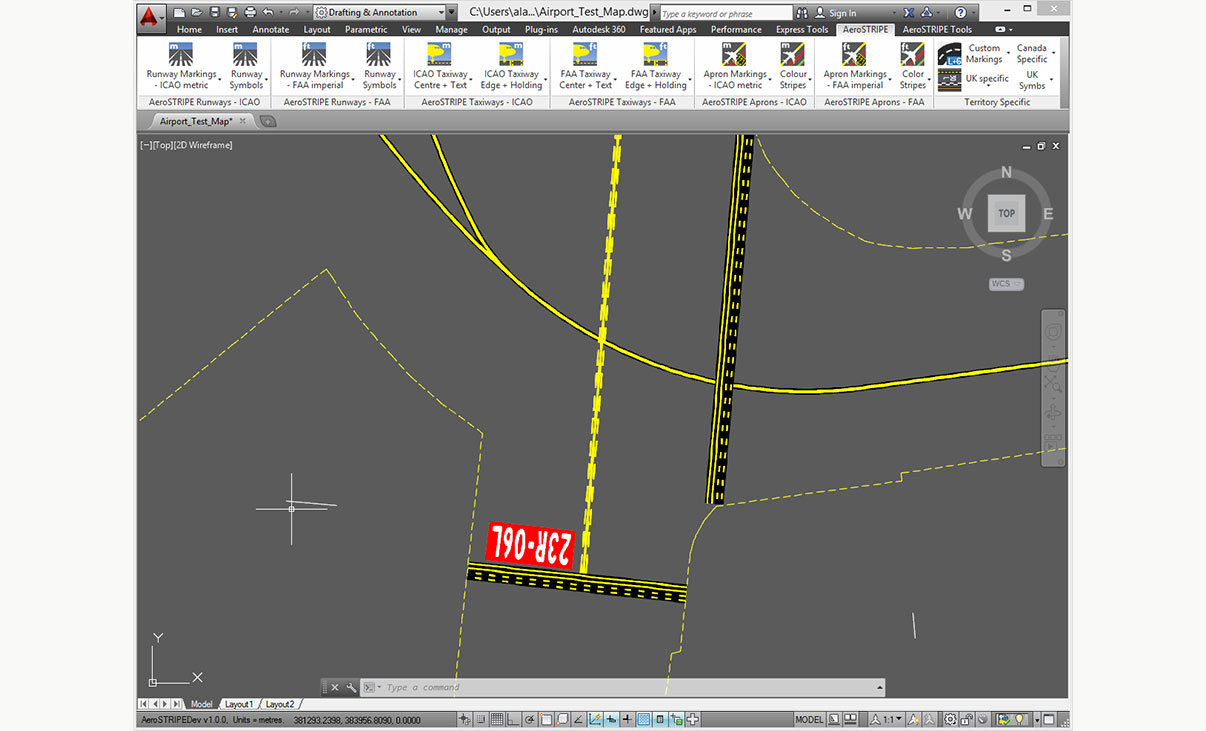
Taxiway Markings
AeroSTRIPE allows you to draw complex markings using a single line, for example, taxiway markings with black edging and drawing edge markings with perpendicular bars, as easily as drawing a regular line.
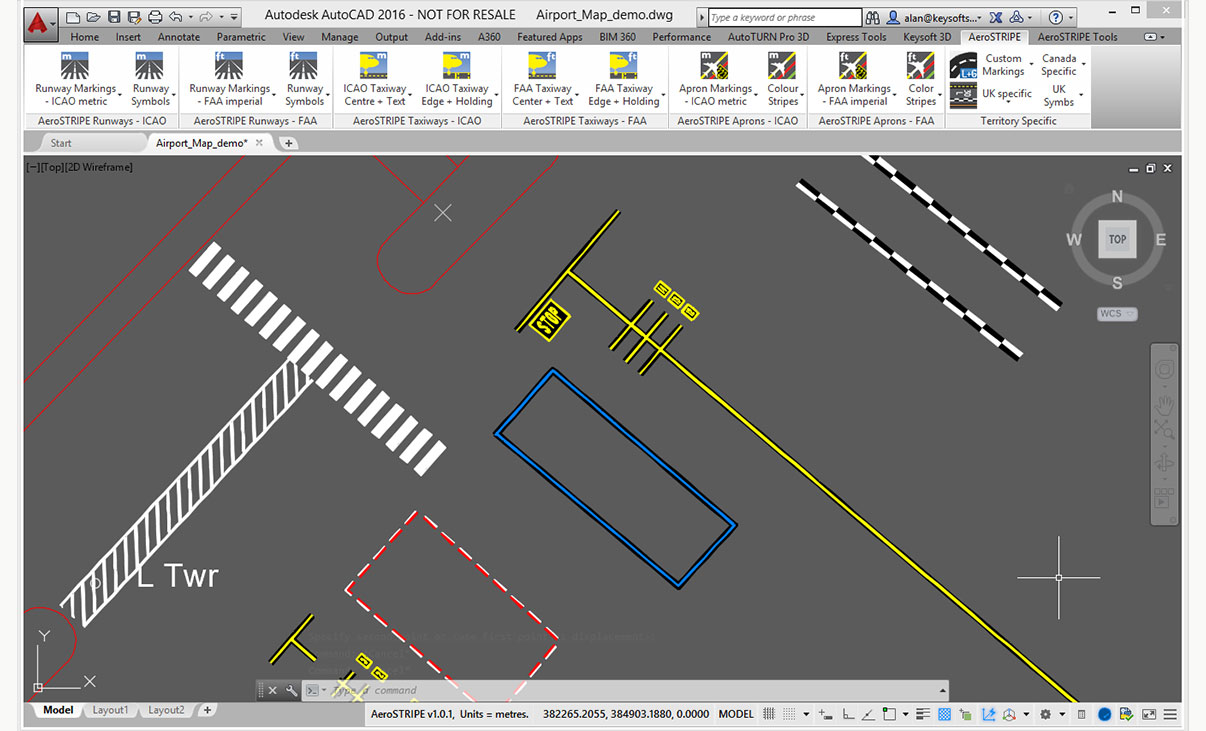
Apron Markings
With it’s wide range of apron markings, AeroSTRIPE will help you to quickly draw complex marking layouts for areas around aprons. Save time by drawing complex sets of markings as one single entity.
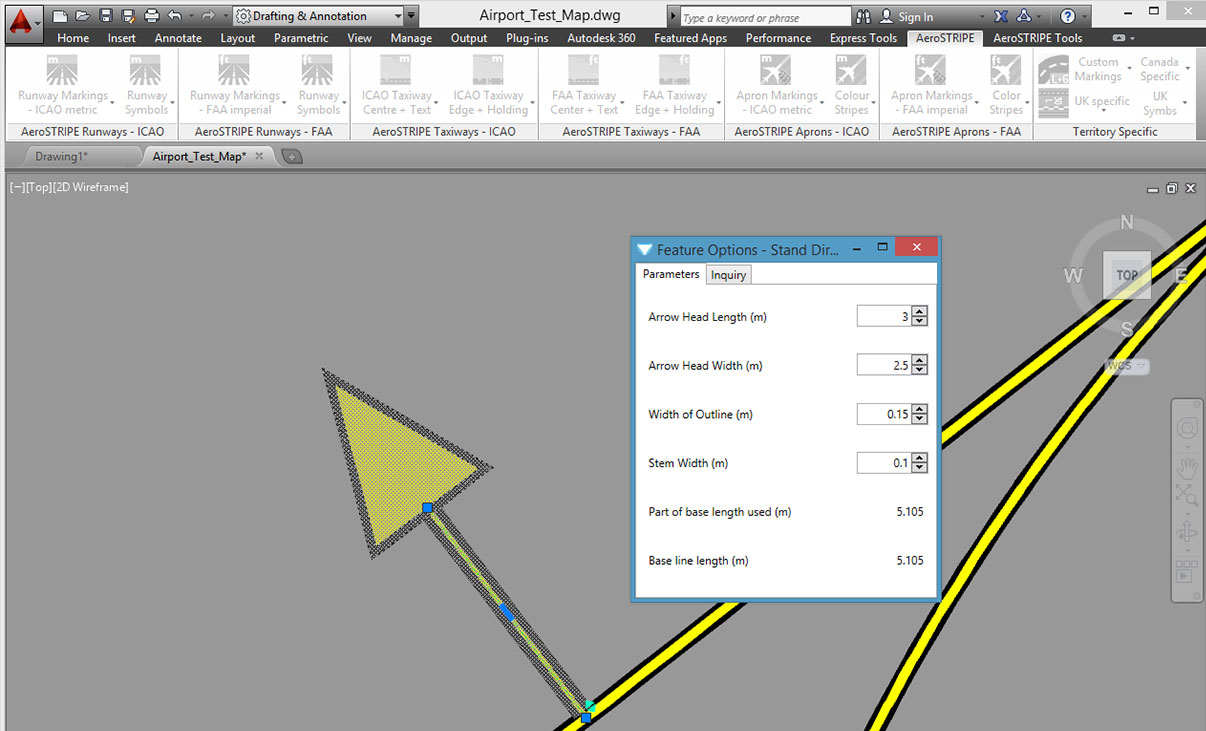
Editing with Ease
AeroSTRIPE makes editing a breeze by retaining its objects as ‘sets of markings’. The software automatically redraws the black edge stripes every time a main marking is modified.
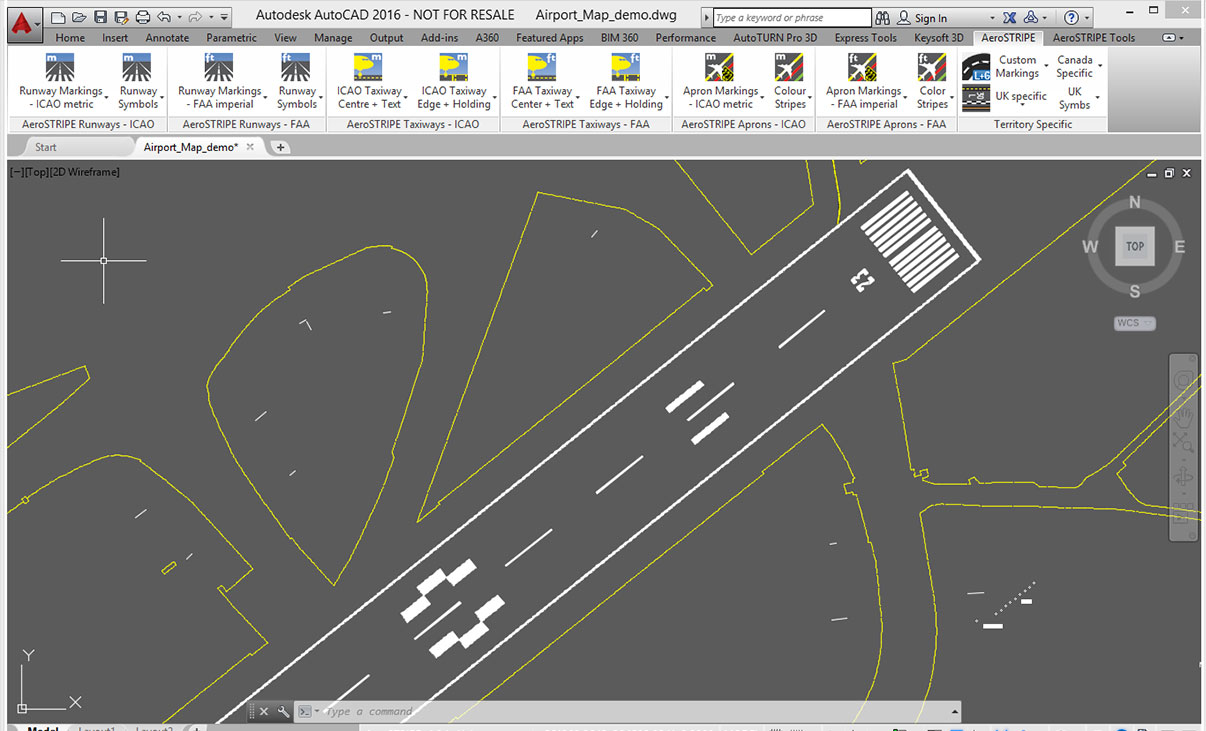
Standard Drawing Format
By working with industry standard AutoCAD and AutoCAD Map to transform your drawing production methods, AeroSTRIPE is easy to learn and feels familiar to use.
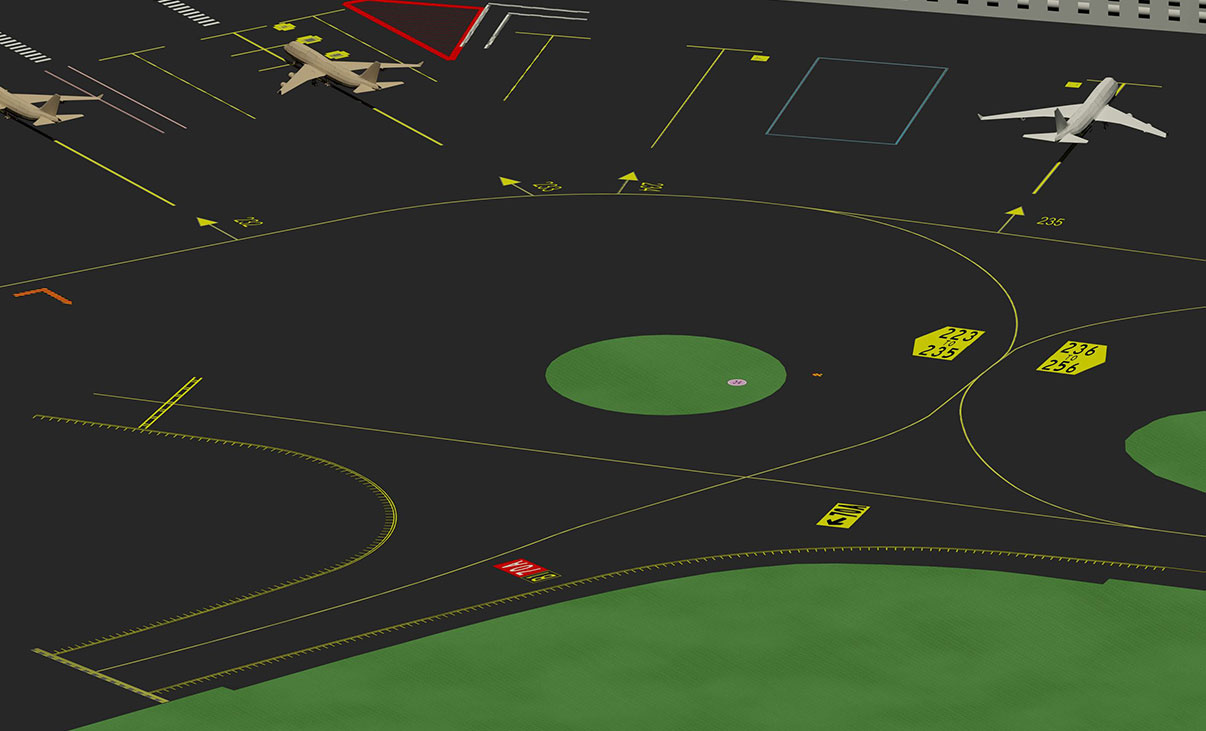
3D Visualization
3D viewing is standard in AeroSTRIPE. There are various tools at your disposal that allow you to quickly generate 3D visualizations and provide views from any viewpoint in the drawing.
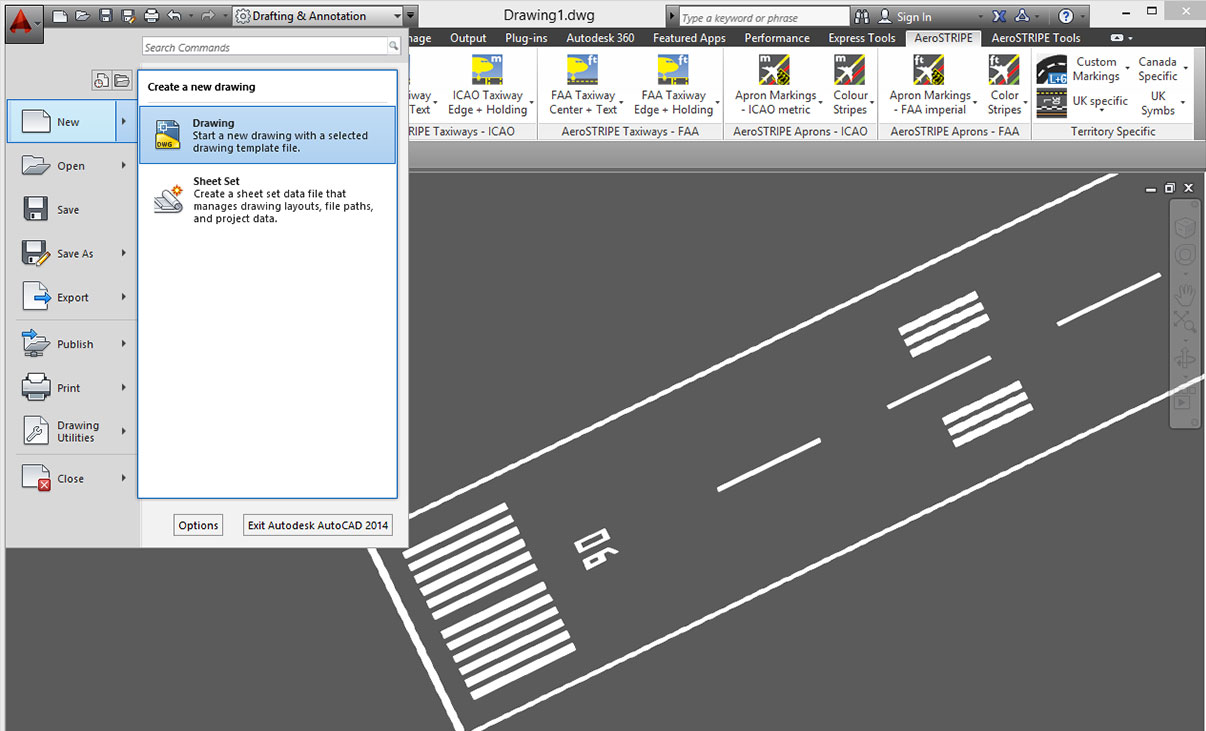
Common Staff Skills
Share the standard DWG output file quickly and easily with your design partners and clients. The user’s existing knowledge and investment in AutoCAD will be utilized and improved.
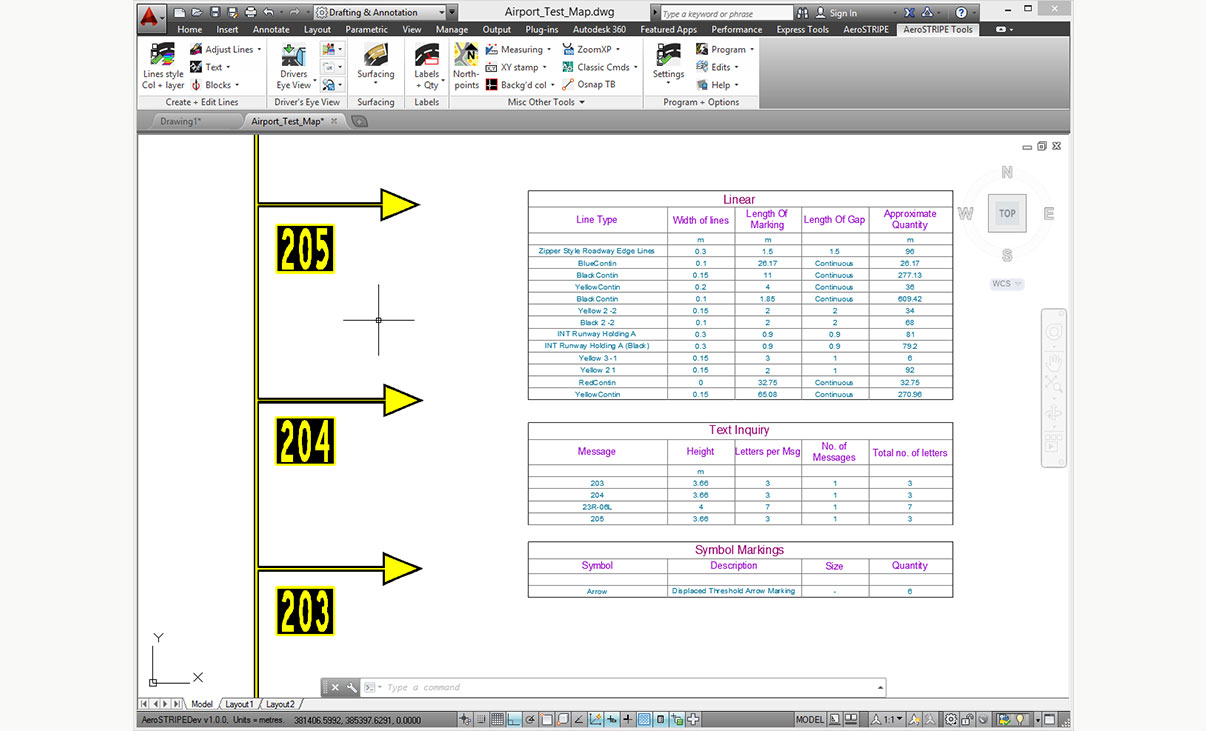
Quantity Take Off
Instantly generate a table of quantities in the drawing. Quantities can be created for the entire drawing or partial quantities where it is necessary to assess options. Drawing schedules can be extracted to allow costing where rates are available.
Licensing Options
Transoft offers a range of licensing options to help small, sole proprietorships right on up to the largest multinational organizations meet their transportation design and analysis needs.
La licence d’abonnement utilisateur est un modèle dans lequel un nombre défini d’utilisateurs abonnés se voient attribuer un accès dédié au logiciel via leurs identifiants uniques pendant la durée de la licence. Le logiciel peut être installé et utilisé par un Utilisateur Abonné sur plusieurs postes de travail.
Avantages des souscriptions utilisateurs
Les souscriptions permettent aux petites structures de commencer avec un utilisateur, puis d’en ajouter d’autres à moindre coût. De leur côté, les grandes entreprises bénéficient d’une plus grande souplesse de gestion et d’administration des utilisateurs via le portail My Transoft Portal. Outre une meilleure visibilité budgétaire, ces licences offrent l’évolutivité nécessaire pour adapter le nombre d’utilisateurs en fonction des besoins de l’entreprise.
Principaux avantages de la licence d’abonnement utilisateur
- Accès automatique aux mises à jour et nouveautés
Les mises à jour, les nouveautés et les bibliothèques sont importantes, mais pas toujours gratuites. Avec une licence utilisateur sur abonnement, vous bénéficiez automatiquement de correctifs, de mises à jour de compatibilité et de fonctionnalités optimisées, sans frais supplémentaires. - Plus grande évolutivité et meilleure gestion des équipements
À mesure que vos besoins évoluent, il vous faudra peut-être davantage de licences logicielles. En optant pour une offre sur abonnement, vous avez la possibilité d’ajouter des utilisateurs et de réattribuer des licences, ce qui permet de mieux maîtriser les coûts et les budgets, et d’opérer un reporting au niveau des utilisateurs. - Accès aux logiciels
Accédez à votre poste de travail, ordinateur portable ou ordinateur de bureau personnel. - Support technique illimité
Bénéficiez d’une assistance de qualité par téléphone ou par e-mail pour l’ensemble de vos déploiements et demandes de support technique. Vous pouvez même programmer une session d’assistance individuelle avec des spécialistes produit.
- Invitations aux webinaires
Participez aux webinaires que nous organisons régulièrement. Ces sessions en direct sont une formidable occasion de découvrir comment nos logiciels peuvent simplifier votre processus de conception à moindre coût. - Formules de licence utilisateur souples
Bénéficiez de formules mono- et multi-utilisateur adaptées à l’évolution des besoins de votre entreprise. Contactez notre équipe commerciale pour plus de détails. - Administration simplifiée des utilisateurs
La gestion des utilisateurs peut être effectuée dans le portail My Transoft, via des liens d’invitation ou par l’authentification unique du fournisseur d’identité avec provisionnement des utilisateurs.
La licence sur abonnement d’équipe (TSL, Team Subscription License) est une option de licence qui s’adresse aux utilisateurs temporaires ou occasionnels du logiciel. La taille de ce type de licence est définie par le nombre de jetons attribuables.
Avantages des licences sur abonnement d’équipe
Contrairement aux licences utilisateur sur abonnement (USL, User Subscription License) qui s’adressent aux utilisateurs réguliers, les licences sur abonnement d’équipe sont destinées aux utilisateurs occasionnels de votre entreprise.
FONCTIONNEMENT
Chaque utilisateur d’une licence sur abonnement d’équipe doit posséder un compte sur le portail My Transoft pour pouvoir demander une licence. Un accès Internet est nécessaire pour cette opération.
Lorsqu’un utilisateur lance le logiciel sur son poste de travail, le programme se connecte au portail My Transoft et détermine s’il reste des jetons disponibles. Si c’est le cas, l’un d’eux lui est attribué pour une durée de 24 heures. L’utilisateur bénéficie alors d’un accès illimité à ce jeton pendant cette période. À l’issue des 24 heures, l’attribution du jeton expire automatiquement et un autre utilisateur peut le solliciter.
Lorsque tous les jetons de la licence sont attribués à un instant donné, aucun autre utilisateur ne peut utiliser cette licence jusqu’à ce qu’un jeton soit automatiquement libéré à la fin de sa période de 24 heures.
Principaux avantages de la licence d’abonnement d’équipe
- Gain de flexibilité pour vos équipes
Permet d’autoriser des utilisateurs occasionnels à accéder au logiciel sans avoir à acheter de licences dédiées. - Moins de tâches administratives pour l’IT
Accès simplifié aux logiciels pour les utilisateurs occasionnels : le personnel IT n’a pas besoin d’allouer les licences, ni de les transférer d’un individu à l’autre. Les utilisateurs gèrent eux-mêmes leurs licences, qui expirent automatiquement au bout de 24 heures. - Possibilité de combiner les abonnements d’utilisateur et d’équipe
Il est possible de combiner les deux modes de licence en fonction des besoins. - Mises à jour automatiques, nouveautés et contenu
Bénéficiez automatiquement de correctifs, de nouvelles versions ou de nouvelles directives de conception de véhicules. - Gestion aisée des besoins de votre entreprise
Bénéficiez d’une évolutivité hors pair et gérez efficacement. - Installation du logiciel et connexion en tout lieu
Accédez à votre poste de travail, votre ordinateur portable ou votre PC grâce à l’Authentification unique. - Support technique illimité
Bénéficiez d’une assistance de qualité pour l’ensemble de vos déploiements et demandes de support technique. - Invitations à des webinaires de formation
Participez à des webinaires animés par des spécialistes produit et découvrez comment nos logiciels peuvent simplifier vos processus de conception. - Administration simplifiée des utilisateurs
La gestion des utilisateurs peut être effectuée dans le portail My Transoft, via des liens d’invitation ou par l’authentification unique du fournisseur d’identité avec provisionnement des utilisateurs.
Transoft Support
We take pride in delivering complete customer satisfaction. Get help with products, downloads, technical support, and more.

My Transoft Portal
Transoft's product enhancements are periodically released to provide access to new features, fixes, and security updates. For many products, you can find these updates and download them directly from My Transoft Portal.

Software License Agreement
For information on terms and conditions detailing the usage of our software, please refer to Transoft’s Software License Agreement (SLA).

Software FAQ
Search our extensive product knowledgebase that address some of the most frequently asked questions regarding Transoft ‘s software.

Help Desk
Find answers to your issues on a variety of topics or request Technical Support. Get help with downloading and installing your software, managing your account, product compatibility and much more.
Licensing Options
Transoft offers a range of licensing options to help small, sole proprietorships right on up to the largest multinational organizations meet their transportation design and analysis needs.
Project Support Services
Need assistance with custom drawings and content creation related to your project design work? Transoft’s team of consultants can help. We deliver fast and helpful services for clients requesting additional assistance with drawings and simulations related to their project design work.
Training
We offer many excellent opportunities for you to take a more interactive approach in learning about our solutions. From webinars to how to videos, find what you need here.
AeroSTRIPE Videos
Request a Quote
Thank you for your interest in AeroSTRIPE. Fill out the form to receive information on purchasing and licensing options or if you have questions in general about the software.
On business days, you can expect a response within 24 hours of your request.