

Design Complex Markings With Ease
AeroSTRIPE offers a range of features that will significantly improve the way you manage your airside marking projects. Design runway, taxiway and apron markings using the software’s impressive libraries of both ICAO and FAA elements, standard road text markings and symbols that are predrawn to the correct size and shape.
Being able to visualize your drawings is important for any marking design project. AeroSTRIPE comes with 3D viewing and visualization tools as standard, allowing you to quickly generate 3D visualizations and provide views from any viewpoint in the drawing.
Design and edit complex airside markings quickly and within the permitted minimum and maximum standards.
Platform Compatibility
We strive to keep our products compatible with the latest operating systems and platforms. Find the latest product compatibility information for Transoft products.
English
What Makes Aerostripe Unique
Design complex marking systems with ease
Create a variety of markings including runway, apron, taxiway, and wide range of airport markings from both the ICAO and FAA standards.
Easy-to-use functionality
AeroSTRIPE includes a full library of line types, text and symbols for various territories around the world, and leverages familiar CAD techniques to help reduce development time and costs.
Generate table of quantities
AeroSTRIPE instantly generates a table of quantities of its features in the drawing, reducing the time to calculate the total lengths of lines for quantity take-off.
Correct and revise easily
Dynamic editing capabilities provide accuracy and flexibility, while providing immediate feedback and guidance saves you time from re-working the designs.
Features
Intelligent Airside Design
AeroSTRIPE enables you to draw complex airside markings quickly and accurately to achieve your required results using a single feature, avoiding the need to use many separate, disassociated CAD entities.
- Uses rule-based markings to ensure adherence to ICAO and FAA standards
- Includes comprehensive set of airside-appropriate symbols, text, arrows and linetypes
- Flexible labelling routines allow for a design to be annotated, using pre-defined and editable text
- Quantity takeoff schedules can be extracted for costing
- 3D view routines ensure markings are clearly seen and understood
EXPLORE FEATURES
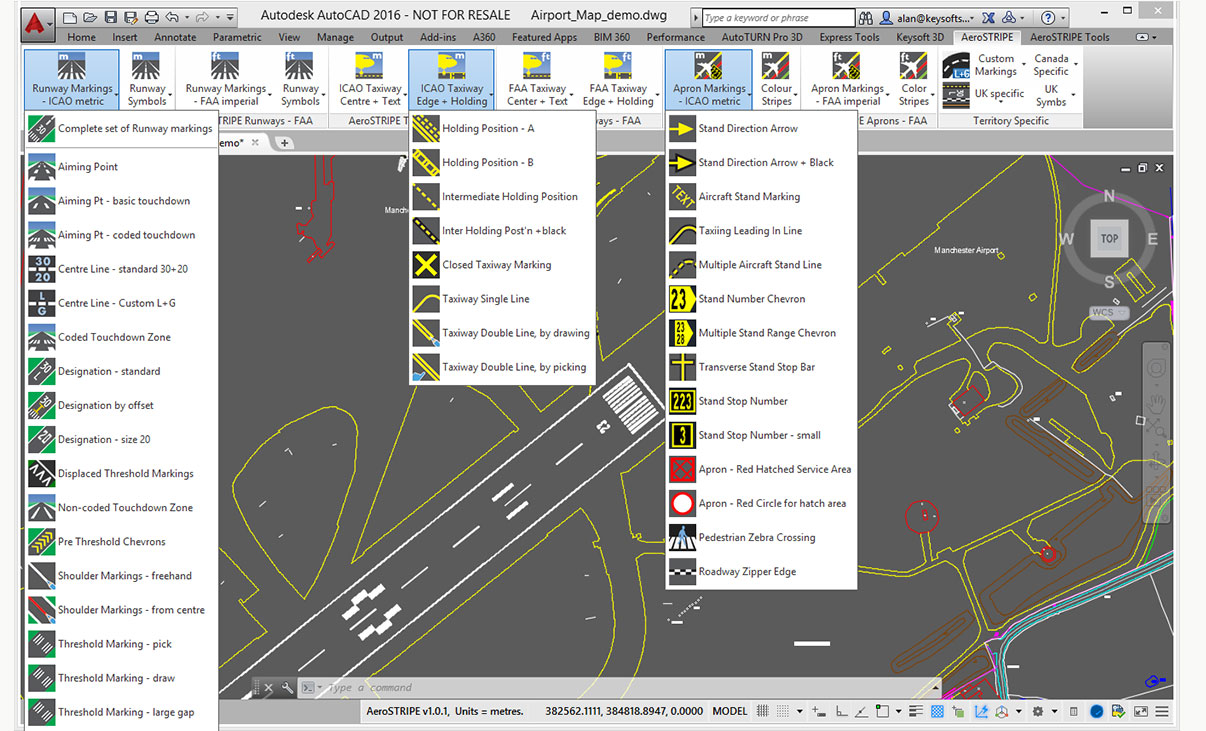
Airport Markings
Draw a wide range of airport markings from both ICAO and FAA standards. AeroSTRIPE includes a full library of line types, text and symbols for various territories around the world.
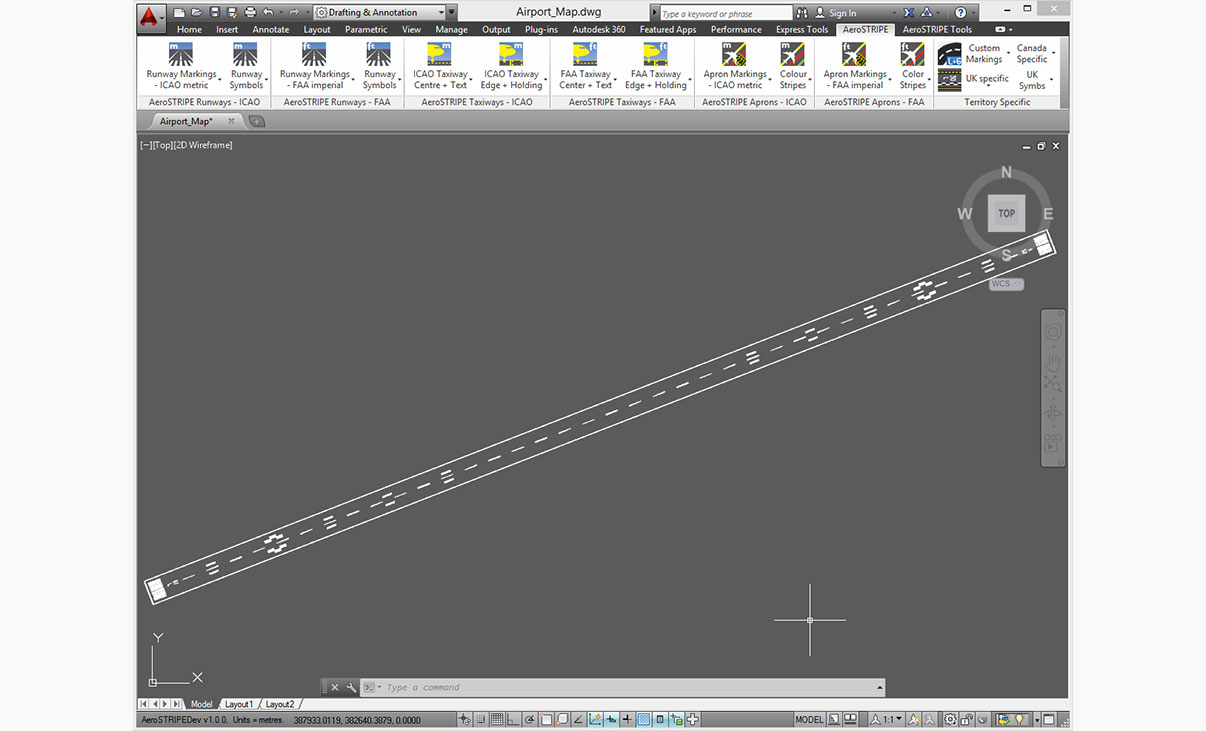
Runway Markings
With AeroSTRIPE you can draw runway markings, including center stripes, touchdown marks, threshhold bars, edge lines and other symbols.
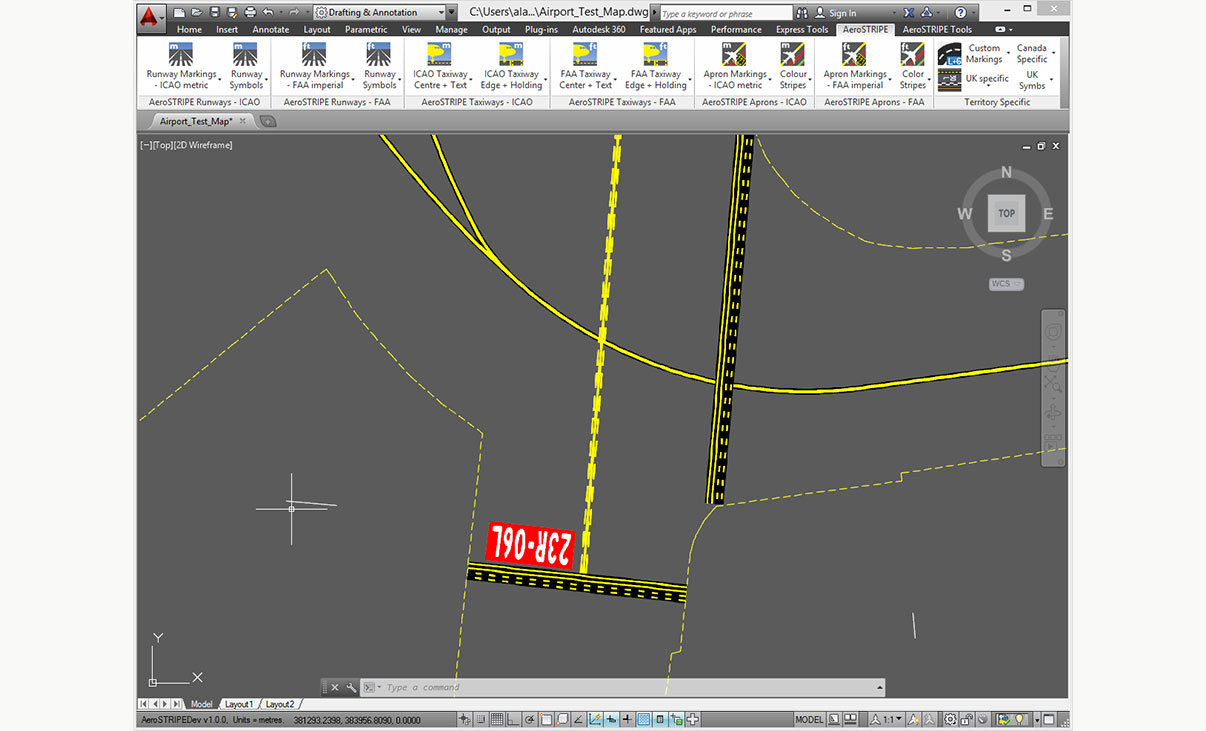
Taxiway Markings
AeroSTRIPE allows you to draw complex markings using a single line, for example, taxiway markings with black edging and drawing edge markings with perpendicular bars, as easily as drawing a regular line.
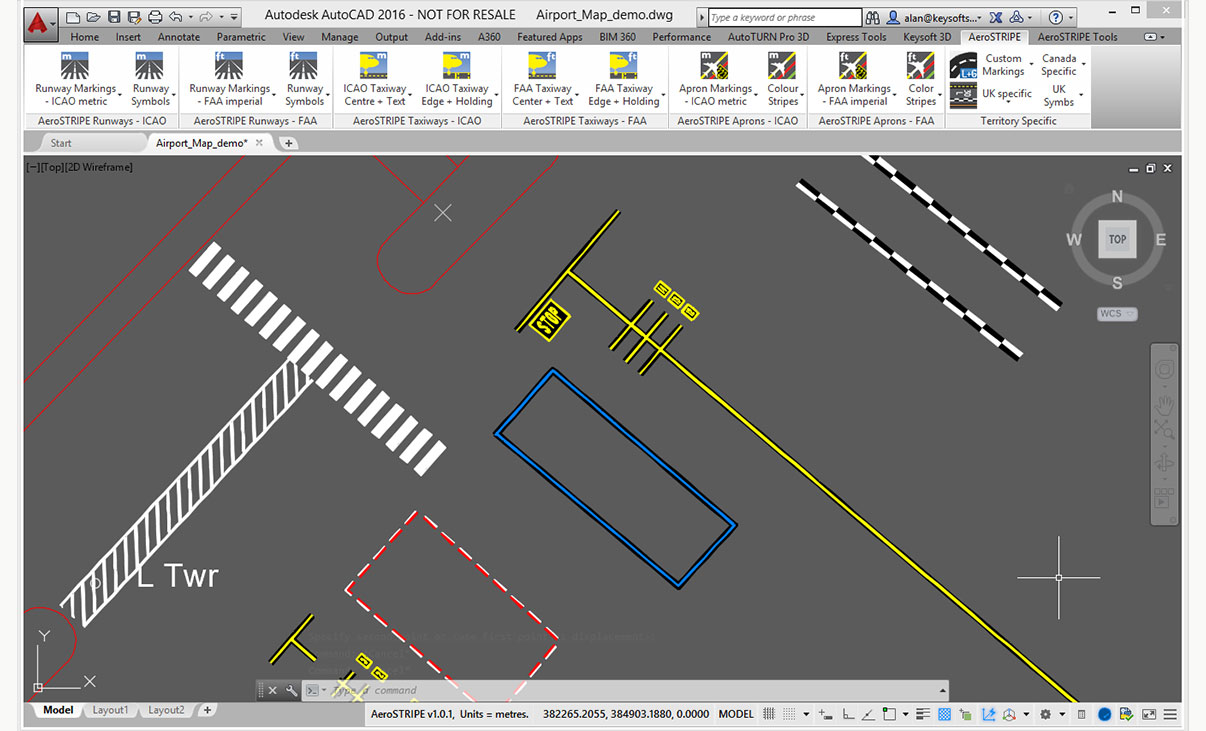
Apron Markings
With it’s wide range of apron markings, AeroSTRIPE will help you to quickly draw complex marking layouts for areas around aprons. Save time by drawing complex sets of markings as one single entity.
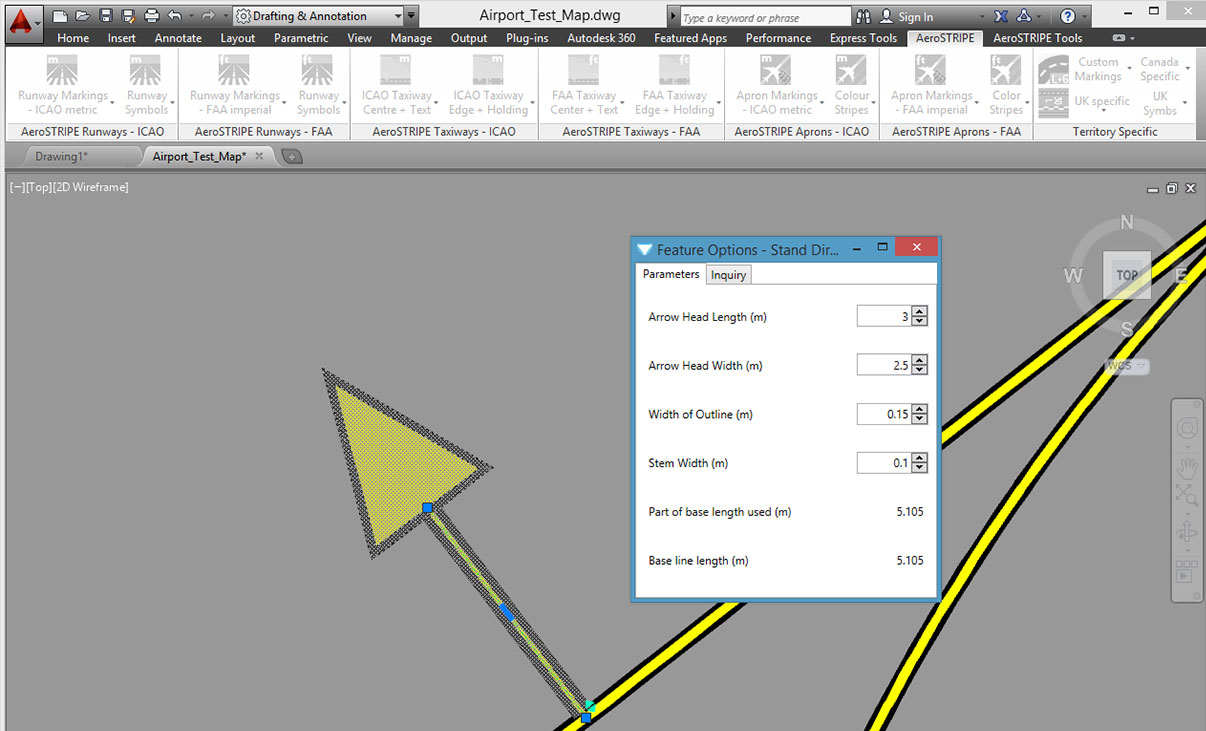
Editing with Ease
AeroSTRIPE makes editing a breeze by retaining its objects as ‘sets of markings’. The software automatically redraws the black edge stripes every time a main marking is modified.
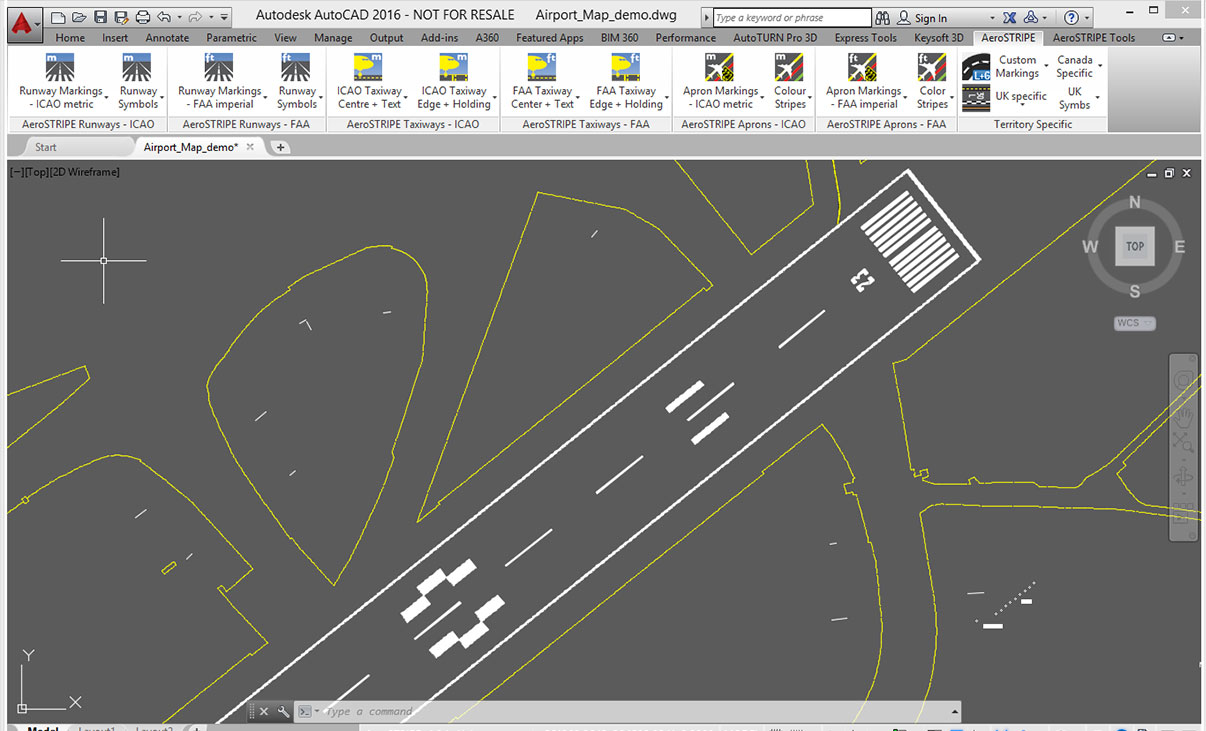
Standard Drawing Format
By working with industry standard AutoCAD and AutoCAD Map to transform your drawing production methods, AeroSTRIPE is easy to learn and feels familiar to use.
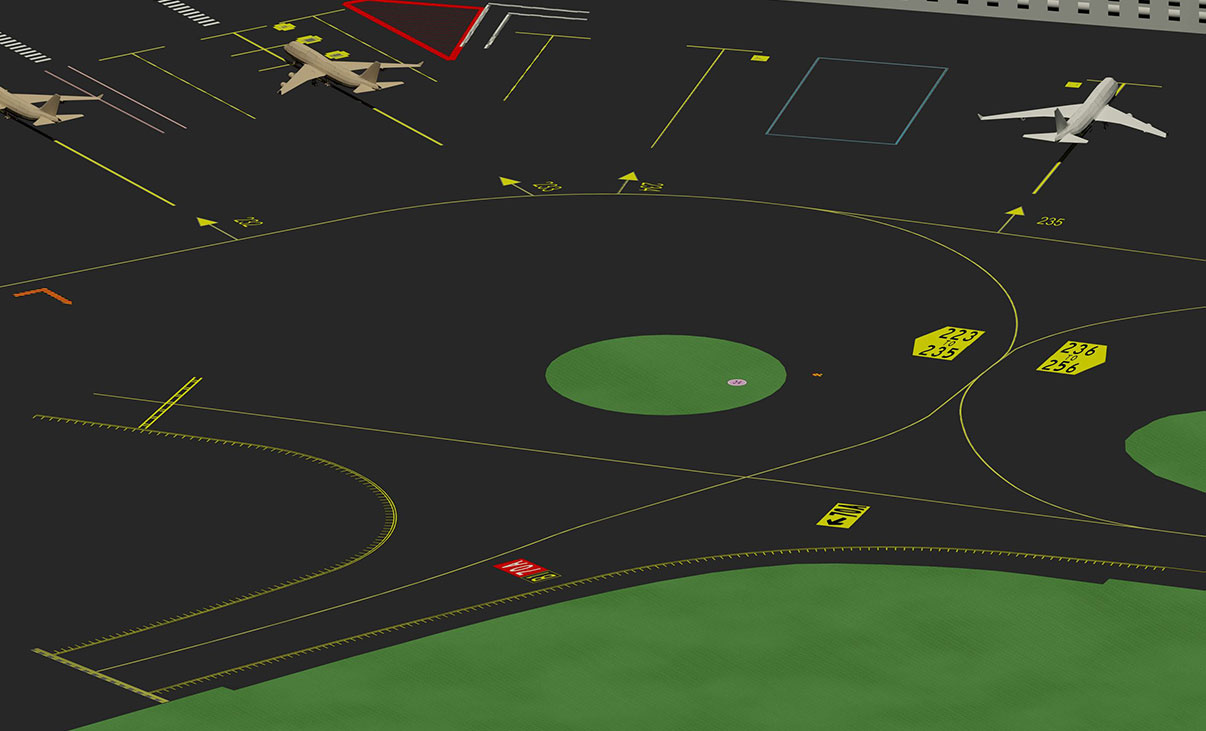
3D Visualization
3D viewing is standard in AeroSTRIPE. There are various tools at your disposal that allow you to quickly generate 3D visualizations and provide views from any viewpoint in the drawing.
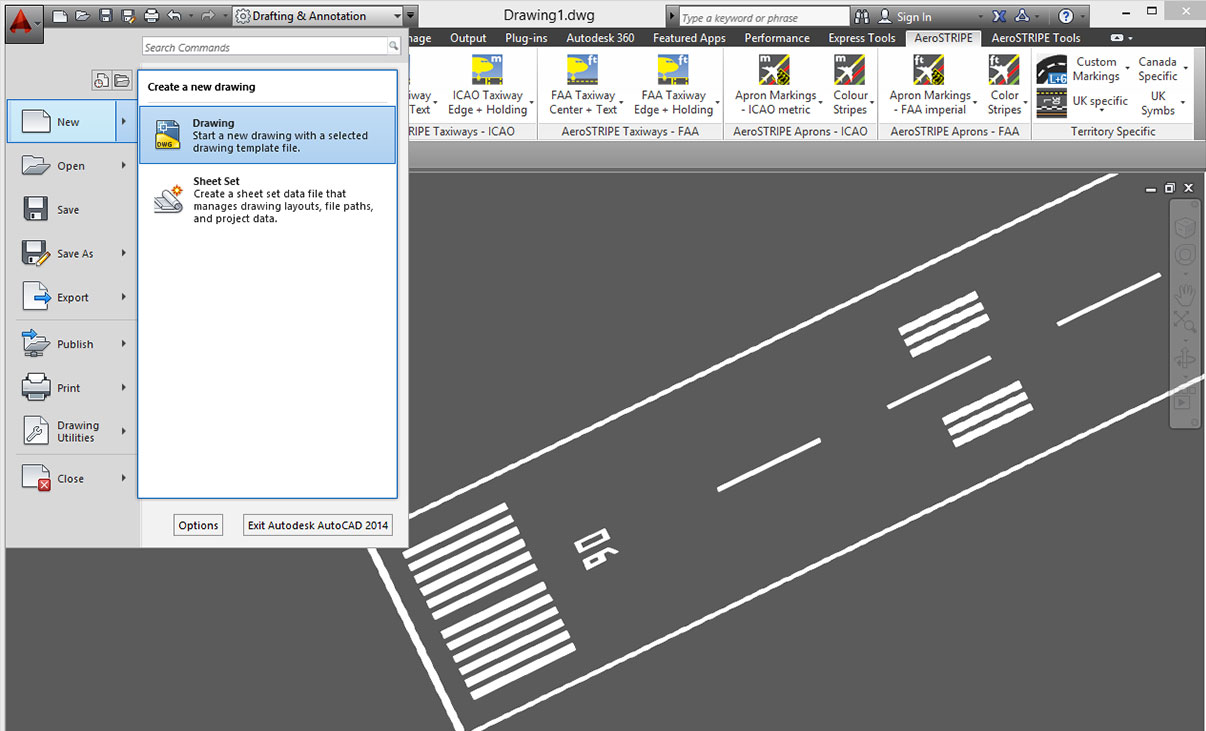
Common Staff Skills
Share the standard DWG output file quickly and easily with your design partners and clients. The user’s existing knowledge and investment in AutoCAD will be utilized and improved.
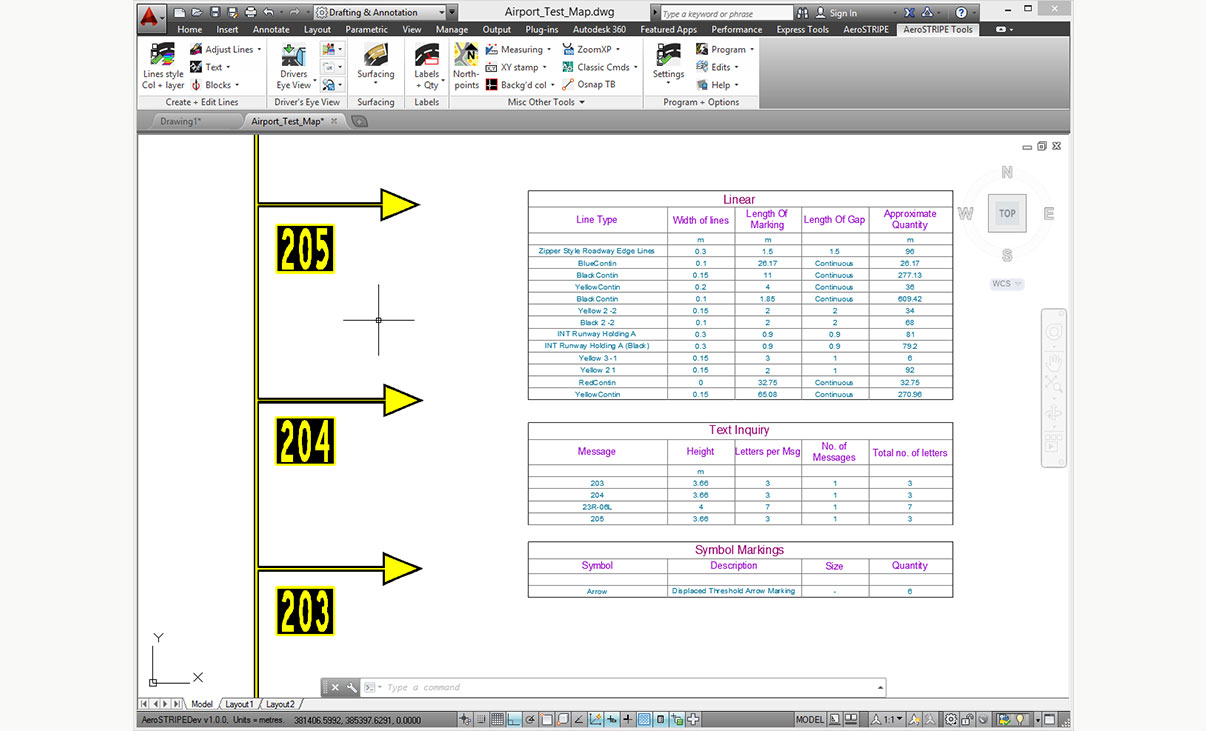
Quantity Take Off
Instantly generate a table of quantities in the drawing. Quantities can be created for the entire drawing or partial quantities where it is necessary to assess options. Drawing schedules can be extracted to allow costing where rates are available.
Licensing Options
Transoft offers a range of licensing options to help small, sole proprietorships right on up to the largest multinational organizations meet their transportation design and analysis needs.
User Subscription License is a model where a set number of Subscribed Users are assigned dedicated access to the software through their unique logins for the duration of the license term. The software can be installed and used by a Subscribed User on multiple workstations.
Each Subscribed User represents one individual and their login and password, which cannot be shared with other users. Software activation is an easy process and can be done over the Internet.
Why Choose the User Subscription License Option
User Subscription License offers a cost-effective way for small businesses to start with one user and grow by adding additional users. For larger organizations, it will offer more flexibility in user administration and management via the My Transoft Portal. Furthermore, it can easily handle scalability and budgeting as per the business needs defined by the number of users.
Key Benefits of User Subscription License
- Automatic updates, new features, and content
Bug fixes, compatibility, and new version releases. - Easily manage your changing business needs
With enhanced scalability and user management. - Install the software and log in from anywhere
Access your workstation, laptop, or personal desktop. - Unlimited technical support
Receive premium assistance for all your deployments and technical support needs. - Invitations to learning-focused webinars
Attend learning-focused webinars from our product experts and learn how our software can help streamline design processes. - Flexible user license options
Choose from single to multiple user packages to meet your business needs. - Simple user administration
User Management can be performed in the My Transoft Portal, via invitation links or by Identity Provider Single Sign-on with User Provisioning.
Have more questions about User Subscription? See the FAQ here.
Team Subscription License is a license option that is intended to support casual or occasional users of the software. The size of a Team Subscription License is represented as a number of allocatable seats.
Why Choose the Team Subscription License Option
While User Subscription Licenses are better for dedicated users, Team Subscription Licenses can be a good complement to these if your organization has occasional, less heavy users of the software.
How it Works
Each user of a Team Subscription License must have an account in the My Transoft Portal to request a license. Internet access is required for this process.
When an end user starts the software product on their workstation, the software will connect to the My Transoft Portal and will determine if any of the seats are available. If a seat is available, it will be allocated and dedicated to that end user who will have unrestricted access to it for 24 hours. At the end of the 24-hour period the seat allocation will automatically expire, and another user will be able to claim it.
Once all the Team Subscription License seats are allocated at a given time, no other end user will be able to use that license until the 24-hour period expires and one of the seats is automatically deallocated.
Key Benefits of Team Subscription License
- More flexibility for your team members
Allows access to software for casual users without having to spend on dedicated licenses for all users. - Less administrative effort by IT
Easy access to software for casual users without IT having to allocate or transfer licenses amongst team members, self-administered by users with automatic 24-hour lock. - Combined Team & User Subscription option
Flexibility of mixing plans according to the needs of different user types. - Automatic updates, new features, and content
Bug fixes, compatibility, new version releases, or vehicle guidelines are automatically available to you. - Easily manage your changing business needs
With enhanced scalability and user management. - Install the software and log in from anywhere
Access your workstation, laptop, or personal desktop with Single Sign-on. - Unlimited technical support
Receive premium assistance for all your deployments and technical support needs. - Invitations to learning-focused webinars
Attend learning-focused webinars from our product experts and learn how our software can help streamline design processes. - Simple user administration
User Management can be performed in the My Transoft Portal, via invitation links or by Identity Provider Single Sign-on with User Provisioning.
Transoft Support
We take pride in delivering complete customer satisfaction. Get help with products, downloads, technical support, and more.

My Transoft Portal
Transoft's product enhancements are periodically released to provide access to new features, fixes, and security updates. For many products, you can find these updates and download them directly from My Transoft Portal.

Software License Agreement
For information on terms and conditions detailing the usage of our software, please refer to Transoft’s Software License Agreement (SLA).

Software FAQ
Search our extensive product knowledgebase that address some of the most frequently asked questions regarding Transoft ‘s software.

Help Desk
Find answers to your issues on a variety of topics or request Technical Support. Get help with downloading and installing your software, managing your account, product compatibility and much more.
Licensing Options
Transoft offers a range of licensing options to help small, sole proprietorships right on up to the largest multinational organizations meet their transportation design and analysis needs.
Project Support Services
Need assistance with custom drawings and content creation related to your project design work? Transoft’s team of consultants can help. We deliver fast and helpful services for clients requesting additional assistance with drawings and simulations related to their project design work.
Training
We offer many excellent opportunities for you to take a more interactive approach in learning about our solutions. From webinars to how to videos, find what you need here.
AeroSTRIPE Videos
Request a Quote
Thank you for your interest in AeroSTRIPE. Fill out the form to receive information on purchasing and licensing options or if you have questions in general about the software.
On business days, you can expect a response within 24 hours of your request.